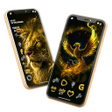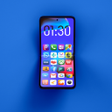
Used X launcher - Launcher IOS 13 with Control panel for Android?
Developer’s Description
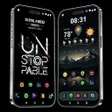
X launcher - Launcher IOS 13 with Control panel and Lockscreen is an excellent app for you to experience like IOS screen and phone X UI on your Android devices.
iOS launcher X Launcher is a fast and lightweight App designed especially for Android phone launchers and tablet launchers. OS 13 launcher is totally free for all android user.
X Launcher is under developing in 2019 for the new coming Phone X. It is the best launcher for Android users who want experience iOS 13 on Android. With X Launcher, you will be able to customize your android phone to make it looks like OS 13.
Main Features of X launcher - Launcher IOS 13 with Control panel and Lockscreen:
Key features of X Launcher:
Customize rows and columns
Full screen: Hide navigation bar
Position indicator: show the page indicator below the desktop
Search Contacts: Add search contacts to search screen, Desktop
Background for desktop: customize background.
Dock background option
Scroll Effect option: Accordion, Alpha, Cube, Depth, Flip, In Right Down, In Right Up, Rotate, Zoom Center, Zoom Fade, Zoom Page, Zoom Stak
Customize icons size to match your personal style
Notification Manager
Swipe Action:
o Search Screen: On desktop screen, swipe down to open Search Screen
o Control Center: Swipe down from the right of status bar to open Control Center
o Notification Center: Swipe down from the left of status bar to open Notification Center
X Home Bar: This new home button is very simple. Just swipe up the bottom of the lock screen, swipe up from the bottom edge to launch a selected action.
iOS launcher has many cool themes
Utilities of IOS Launcher:
iOS launcher has many beautiful wallpapers.
App Lock: Protect your privacy, you can use PIN lock, Pattern lock
Hide app, lock hidden app
Lock Screen: PIN lock, Pattern lock, Fingerprint lock
Control Center iOS: You can quickly take a picture, turn on flash, wifi, Airplane Mode, Bluetooth, brightness, volume and so on.
iOS Search: Quick access, quick search to useful applications. App suggestions and lots of other customizable features allow you to find what you need much faster
How to use Control Center OS X Laucher:
1. Install iOS launcher
2. Permit usage access
3. Set default iOS launcher
4. Swpie down from the right of status bar
Thank you for use X Launcher!!! More interesting functions will coming soon!
Used X launcher - Launcher IOS 13 with Control panel for Android?
Explore More
Lucky Block Mod Bedwars For MCPE
FreeHanuman HD Wallpapers
Free
Hanuman Chalisa All In One
FreeHDQWALLS HD 4k Wallpapers And Backgrounds [BETA] (Early Access)
Free
Dynamic Earth Live Wallpaper
FreeAngry Shiva Launcher Theme
Free
Thought Scanner Custom
Free
3D Dreamy Earth Natural Theme
FreeTropical Rain Video Wallpaper
FreeBirds Live Wallpaper
Free
Theme for Motorola Moto G7 Launcher
Free
Starry Voice Emoji Keybaord
Free