Used Word Art Design Apps for Android?


Word Art Design Apps Analysis

AI Assisted Content ·

Not written by CNET Staff.

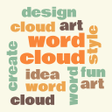
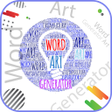
Word Art Design Apps is a free mobile application designed for Android users, specifically in the educational and fine arts software categories. This application allows users to effortlessly generate visually appealing word clouds in various shapes and colors. It features a user-friendly interface that simplifies the creation process, making it accessible for users of all skill levels. Users can experiment with different text arts, customize color palettes, and select from a diverse range of fonts to enhance their designs.

Top Recommended Alternative

In addition to its basic functionalities, the app includes unique features such as the ability to reshuffle the word arrangement with a single tap and randomize borders of the selected shapes. Users can save their creations directly to the cloud or export them to their device's gallery. Moreover, sharing designs with friends on social media platforms is facilitated, making it easy to showcase creative word art. This app serves as an excellent tool for anyone interested in crafting personalized word clouds.

Enlarged image for Word Art Design Apps
Word Art Design Apps 0/4

Used Word Art Design Apps for Android?


Explore More

Full Specifications

GENERAL
Release
Latest update
Version
1.0.4
OPERATING SYSTEMS
Platform
Android
Operating System
Android 13.0
POPULARITY
Total Downloads
35
Downloads Last Week
0

Report Software

Program available in other languages


Last Updated


Developer’s Description

Making word cloud is really a fun and now you can enjoy this fun with the help of the creative mobile application, Word Art Design Apps.

Making word cloud is really a fun and now you can enjoy this fun with the help of the creative mobile application, Word Art Design Apps. It is easy and user friendly application that contains wide varieties of word shapes doe making word clouds of different shapes and colors.

Want to create a creative word blob with the names of your best friends? Install the free app Word Art Design Apps and try its word palette. The word collage generator will make beautiful word cloud art in no time. You can pick one or two colors for highlighting your special words, and can select a shape for making your word blob in an attractive way.

How to use the Word Art Design Apps?

Once installed, you can use this Word Collage Maker app in a customized way. Here check how you can create beautiful word cloud art on the virtual word palette.

You can add as many text art as you want.

You can create different word color pallet: you may edit them and save them in your phone.

You can select the word font from wide variety of font sizeand you can resize then after making word blob.

You can change the background color to suit your need.

You may reshuffle all the word salad art by unique one tap app control.

The word cloud maker app will allow you to randomize the borders of the selected shape.

Save your Word Art blob to cloud.

You can export your Word cloud to your phone gallery.

Share the picture of shape word cloud and word art with your online friends via social networking sites.

Apps Features:

Amazingly simple and user friendly interface

You can use refresh (shuffle) mode for shuffling the positions of Word cloud Arts.

Add as many word tags you want to add.

Direct share to social media from the Word Art Design Apps

Save your Word Collage Maker to Cloud or Word Art.

Share your Word Art Cloud on Social Media accounts.

Its time to install the mobile application Word Art Design Apps and start making word cloud as many you like with your favorite words. The word salad in word art cloud will be according to you plan. You can make festive wish ale with your word art cloud maker app.


Download.com
Your review for Word Art Design Apps
Download.com

AI Assisted Content Disclosure

Content created and reviewed by Softonic with information obtained from Photos Gallery Studio, using AI.

CNET's editorial team was not involved in the creation of this content. Opinions, analysis and reviews were not provided by CNET.