Used VE Calculator for Android?
VE Calculator Analysis
AI Assisted Content ·
Not written by CNET Staff.
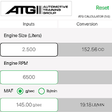
VE Calculator is a free Android application designed for automotive professionals and enthusiasts, offering a range of features to calculate volumetric efficiency (VE) for various engines. This utility is particularly useful for tuning and performance analysis, allowing users to input engine specifications and receive accurate VE calculations. The user-friendly interface simplifies the process, making it accessible for both novices and experienced users.
Top Recommended Alternative

The application supports a variety of engine types and configurations, providing flexibility for different automotive projects. Users can adjust parameters such as engine displacement, RPM, and air density to refine their calculations. Additionally, VE Calculator may include resources to help users understand the significance of volumetric efficiency in engine performance, contributing to informed decision-making in tuning and modifications.
Used VE Calculator for Android?