Used Universal Tv Remote: Cast & IR for Android?
Universal Tv Remote: Cast & IR Analysis
AI Assisted Content ·
Not written by CNET Staff.
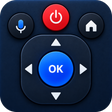
Universal TV Remote: Cast & IR is a versatile app designed to transform your smartphone into a universal remote for TVs, AC units, and fans. This free application allows users to control multiple devices seamlessly from one interface. It features voice command capabilities, letting users perform actions like changing channels or adjusting volume with simple voice instructions. The app supports both infrared (IR) control and wireless network connections, making it adaptable to various home setups. Additionally, it includes screen mirroring and casting functionalities, enabling users to display content from their phones onto larger screens effortlessly.
The app also offers a clean and user-friendly design, with customizable themes and vibration feedback for a modern touch. It includes smart controls like a numeric keypad for quick channel access and a touchpad for navigation. With features like auto-reconnect and recent device history, users can quickly access previously connected devices. Universal TV Remote: Cast & IR is a practical solution for anyone looking to replace lost remotes or simplify their home entertainment experience.
Used Universal Tv Remote: Cast & IR for Android?