Used Ultra Watch Face for Android?
Developer’s Description
Ultra Watch Face is fully Wear OS 2.0 supported
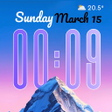
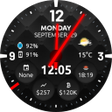
NEW! Completely new redesigned Ultra watch face!. A nice, clean and interactive real watch face with Premium upgrade option. You can always use it for free and it has core options, but Premium version comes with lot more features and options.
How to select shortcuts in the position (complication)
- Long tap on the watch face
- System shows icon "gear" for the watch face settings. Tap on it
- Select "Customize" option
- Select "Complications" option
- Select desired position
- Select "External Complication"
- Find "General" from list and select it
- Select "App shortcut" and choose desired app
You are ready to go.
New version replaces shortcuts with external complications
New version replaces old built-in shortcuts with external complications (in watch settings ) which gives to the user more options to show on the watch face (f.e. shortcuts for all installed apps on the watch, system data like as day
ights sunlights, time zones, weather, and much more)
Wear OS 2.0 integration
Fully standalone! (iPhone and Android compatible)
External complication data for the indicators
Compatible with all WearOS smartwatches
External complications
Background types
Change color
24 hour format
Leading zero
Screen time
Forecast
Full ambient mode option
Change a color preset on tap
Tap indicator
Google FIT integration
Weather settings (location, providers, frequency update, units)
NEW option
Vibrate on every hour
Built-in complications:
Steps
Distance
Walking
Running
Biking
Calories
Fit statistics
Water counter
Coffee counter
HeartRate detector
Steps counter from wear device (built-in steps)
App shortcuts (Timer, Alarm, Flashlight, Stopwatch, Google Map, Find My Phone, Google Keep, Google Translate)
FAQ
!! Please contact us if you have any trouble with the app !!
richface.watch@gmail.com
How do I install the watch face on Wear OS 2.0?
1. Install it from Google Play Wear Store on your watch.
2. Install the companion app for fully customization (Android phone devices).
Why I can not see steps or activity data in a built-in complication?
To see steps and other fit data, you need to connect the app with Google Fit.
There are two options:
1. Connect to Google Fit via settings located on your smartwatch
2. Connect to Google Fit via settings located on the phone companion app (only for Android phone devices)
The watch face CANNOT be installed on smartwatches with TizenOS (Samsung Gear 2, 3, ..) or any other OS except WearOS
Note: New version doesn't include SMS and Call options due to Google SMS and Call permission rules.
You can find more info here:
https://www.xda-developers.com/google-play-developer-policy-call-log-sms/
PERMISSIONS Explained
http://www.richface.watch/privacy.php
Used Ultra Watch Face for Android?
Explore More
RoundedUI Pie,Samsung,Oreo,Oxygen Substratum Theme
PaidPixel Dark Theme for LG G7 V35 ThinQ
Paid
Koorkin Bold FlipFont
Paid3D Car Live Wallpaper
PaidTheme for Samsung Galaxy Tab A 10.5/ Galaxy Tab S4
Free
Dark Dragon Theme
FreeBest Business Ringtones
FreeSuper Funny Ringtones
Free
Theme Dark Bloom Carbon for Huawei EMUI 5/5.1/8
Paid
Circuit Launcher 2018 Pro - Next Generation theme
Paid
Magic flowers Live Wallpaper
FreeTransparent Homescreen Effects
Free