Used TwistedBrush Open Studio for Windows?
Editors’ Review
TwistedBrush Open Studio offers to help you create digital works of art. With its elaborate paintbrush set, its simple controls, and a bevy of options, it improves on the usual painting programs.
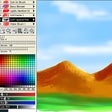
The program's interface is a delight to navigate, with its instructional Help file and numerous but not overwhelming options. The program is organized much like the popular Paint program packaged with Windows. There's a fragmented color palette, a selection of brushes, various shape-making tools, and a large canvas to work with. Like Paint, it uses a click-and-drag method to create images. Where this program differentiated itself from the competition was with its realism. While they could never be mistaken for the real thing, the brushstrokes do have a lifelike quality that mimics the size, coverage, and density of an actual paintbrush on canvas. We were pleasantly surprised, because we knew Windows' Paint couldn't make strokes so naturally. Unfortunately, TwistedBrush didn't impress us by offering anything special in the way of features. It includes features for filters and masks, but they're pretty run of the mill. While not a substitute for actual paintbrushes and canvas, this program did the best job of imitation that we've ever tested.
TwistedBrush Open Studio is freeware. It installs desktop icons without permission and leaves folders behind after uninstalling. Though it doesn't radically alter the digital painting field, its realism is enough of a change from the rest for us to recommend it.
Used TwistedBrush Open Studio for Windows?
Explore More

Sponsored
Adobe Stock
Trial version
iConvert Icons for Windows 10
Paid
Fractalius plug-in
Trial version
iClone
Trial versionPDF Merge Split Extract
Free
ReShade
FreePDF Automation Server Document Workflows
Trial version
PDF Studio Viewer PDF Reader
FreejOfficeConvert Java Word to PDF Conversion API
Trial versionVeryUtils AI Photo Enhancer
Trial versionjPDFAssemble Java PDF Assemble API
Trial versionjPDFEditor Java PDF Editor Swing API
Trial version











