Used Turn your phone to computer for Android?


Turn your phone to computer Analysis

AI Assisted Content ·

Not written by CNET Staff.

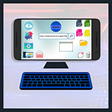
The application 'Turn Your Phone to Computer' is an innovative emulator designed for Android devices that allows users to experience a desktop-like environment. It offers functionality to open applications, manage files, and navigate through folders, mimicking the operations typically associated with a computer. Users can benefit from features such as a built-in file browser for easy access to device files, an address bar for quick navigation, and a user-friendly menu and icon bar that enhance usability. Additionally, the application supports multiple tabs and windows, enabling efficient multitasking.

Top Recommended Alternative

Beyond basic file management, the program also provides comprehensive messaging capabilities by managing SMS and email accounts. Entertainment options are included with integrated media features such as a music player and video player, making it a versatile tool for both productivity and leisure. This emulator stands out in the utilities and tools category, offering a unique approach to mobile computing.

Enlarged image for Turn your phone to comput…
Turn your phone to computer 0/1

Used Turn your phone to computer for Android?


Explore More


Full Specifications

GENERAL
Release
Latest update
Version
1.2.2
OPERATING SYSTEMS
Platform
Android
Operating System
Android 9.0
POPULARITY
Total Downloads
450
Downloads Last Week
1

Report Software

Last Updated


Developer’s Description

By tifa dev
Turn your phone to computer : pc emulator is a mobile app that enables you to turn your smart phone to a computer by giving you the ability to use it like a computer (for office, programmation, games etc..). It is a file explorer, designed to support multiple tabs and windows.Besides, you can store your documents, and programs in the app storage, modify your mails or files, creating new document, playing computer games, sharing files,... In general, it changes the home page from smartphone icons to computer home page and then you can use your mini computer app.It provides access to pictures, music, video, documents, and other files on your Android devices and you can manage it as a computer.What includes:* File explorer: manage your documents like you do on your computer.* Access your shared documents on network as if it is in a laptop desktop.* Application management* Built-in media viewer and player for various media formats, including photos, music, and videos;..If you have questions, please don't post a negative review, rather, ask your question on the forum so everybody benefits:

Download.com
Your review for Turn your phone to computer
Download.com

AI Assisted Content Disclosure

Content created and reviewed by Softonic with information obtained from tifa dev, using AI.

CNET's editorial team was not involved in the creation of this content. Opinions, analysis and reviews were not provided by CNET.