Used Transparent Phone Screen HD Simulation for Android?
Editors’ Review
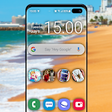
Transparent Phone Screen HD Simulation, from Just4Fun, turns an Android device into a see-through display so users keep visual contact with their surroundings while using apps. The app overlays a live rear-camera feed so people can maintain awareness while texting, browsing, or playing. It emphasizes adjustable settings and display clarity to suit different screens, and it targets novelty seekers, pranksters, and users seeking extra situational awareness in crowded places.
Top Recommended Alternative
The app projects a real-time rear-camera view over active apps so you can type or browse while still seeing the environment behind the phone. It runs as an overlay or in the background, so multitasking continues without forcing a camera-only mode. This makes the tool useful for short, attention-sensitive moments like walking through crowded streets or executing lighthearted pranks where a live background improves the effect.
What the app does during everyday phone use
How it fits into devices and wearable workflows
The app targets Android devices and connects with WearOS smartwatches for remote activation, allowing users to toggle the simulation from a wrist-worn device. It lists Android 4.4 or higher as typical compatibility and includes HD optimization to keep the live feed readable on higher-resolution screens. Setup requires granting camera permission and pairing a wearable only if you want wrist-based controls.
How it performs for walking, multitasking, and visibility
Low-latency camera operation and adjustable transparency aim to preserve a usable view while interacting with other apps, which helps situational awareness in low-risk contexts. Manual and automatic camera rotation match the phone’s orientation, and HD tuning reduces blur on premium displays. Continuous camera use may increase battery drain, so reliability for extended navigation depends on how long the camera remains active.
How controls and accessibility suit on-the-go use
Quick-access widget support and wearable controls make enabling or disabling the simulation rapid and discreet. The overlay behavior keeps other apps available, so you can return to browsing or messaging without closing the camera feed. Rotation settings and transparency sliders let users tailor the display for different lighting and angles, which helps when moving between indoor, outdoor, or transit situations.
Pros
- Live rear-camera overlay lets you see surroundings while using other apps
- WearOS support enables remote activation from a connected smartwatch
- Adjustable transparency and rotation options adapt to lighting and orientation
- Quick-access widget enables rapid enabling and disabling of the effect
Cons
- Continuous camera use may increase battery drain during active sessions
- Best suited for short, casual use rather than prolonged navigation
- Requires camera permission and wearable pairing for remote control
Bottom Line
To sum up, a practical novelty for situational awareness and pranks
To sum up, the app is a practical novelty for prank-minded users and people who want extra situational awareness during short outings. Expect the experience to suit casual, intermittent use rather than continuous navigation, given the camera’s constant operation. Tip: limit active sessions and use the quick-access widget to conserve battery between brief, purposeful activations. Its novelty value pairs well with occasional safety uses in crowded walks.
Used Transparent Phone Screen HD Simulation for Android?
Explore More

Malayalam Live TV Online
Free
Cards Against Friends
Free
Gangster Crime Simulator 2019: Crime city Gangster
Free
Hindi Calendar 2019 Panchang 2019 Calendar
Free
Best of Emmanuella Comedy Videos 2019
Free
Daily Horoscope Free
Free
Conan OBrien Presents: Team C
Free
INKPAY
Free
Korean Sad Song Offline
Free
Church Bell Ringtones
Free
Bts Call You: Fake Video Call
Free
KushScan - recognize kush weed marijuana thc
Free