Used Transfer - Samples for iOS?


Transfer - Samples Analysis

AI Assisted Content ·

Not written by CNET Staff.

Transfer - Samples is an advanced multimedia application designed for iPhone users, focusing on the seamless transfer and management of audio samples. This application caters to musicians, sound designers, and audio enthusiasts who require a reliable tool for organizing and transferring audio files efficiently. With its user-friendly interface, Transfer - Samples allows users to import samples from various sources, including cloud storage and local devices, making it a versatile choice for audio management.

Top Recommended Alternative

The application supports a wide range of audio formats, ensuring compatibility with most sound files. Users can easily create folders, categorize samples, and access them swiftly, enhancing workflow efficiency. Additionally, Transfer - Samples includes features for editing and previewing audio clips, providing a comprehensive solution for anyone involved in audio production. Its robust functionality and ease of use make it an essential tool for managing audio samples on the go.


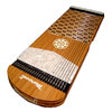
Enlarged image for Transfer - Samples
Transfer - Samples 0/4

Used Transfer - Samples for iOS?


Explore More


Full Specifications

GENERAL
Release
Latest update
Version
1.4
OPERATING SYSTEMS
Platform
iOS
Operating System
iOS 12.1.2
Additional Requirements
Requires iOS 12.4 or later. Compatible with iPhone, iPad, and iPod touch.
POPULARITY
Total Downloads
8
Downloads Last Week
0

Report Software

Last Updated


Developer’s Description

By SDWR
Send Files via USB MIDI.

Transfer - Samples is an application that moves audio samples via USB from iOS devices to Elektron Model:Samples and Digitakt. Integration with Rytm is not currently stable.

Transfer music files (samples) to sampler machines via Apple USB adapter with USB cable. Additional functionality is recording within the app with the purpose to transfer to sampler. You will need Apple Camera USB cable to connect to the device.

-Trim your sample before sending it out to the device by moving 2 cue points with your fingers.

- Move cue points more precisely by swiping on 2 side panels.

- Record using built-in mic (All recordings are stored in your iCloud Drive automatically)

- Select multiple files to transfer them as a folder to device

- Reverse sample

- Normalize sample

**Individual file transfers are saved to /uploads folder

Roadmap 2020

- Pitch shift

- Slice editor for field recordings

- Gain (Boost with saturation & character modeled after analog mixers)

- Advanced file management

- Support for Elektron Rytm

- Support for Elektron Octotrack

If you want to suggest features or have questions, please fee free to write to us - contact@fvnction.net

If you experience problems with the app, please contact us - contact@fvnction.net. In the worst case we will help you to get your money back as fast as possible. All issue reporters are added to Beta Program which means you will have early access to latest features and fixes.

If you own a non-Elektron device and would like to have a sample transfer functionality for your device as part of this app. please let us know - contact@fvnction.net


Download.com
Your review for Transfer - Samples
Download.com

AI Assisted Content Disclosure

Content created and reviewed by Softonic with information obtained from SDWR, using AI.

CNET's editorial team was not involved in the creation of this content. Opinions, analysis and reviews were not provided by CNET.