Used Train Go - Railway Simulator for Android?


Train Go - Railway Simulator Analysis

AI Assisted Content ·

Not written by CNET Staff.

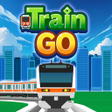
Train Go - Railway Simulator is an engaging simulation game designed for Android users, allowing players to design and manage their own rail networks. The game emphasizes creativity as users craft unique railways, complete with various tracks and stations. Players can enjoy a rich visual experience as they navigate through diverse landscapes, enhancing the overall gameplay with immersive environments.

As players progress, they unlock additional features such as upgrading existing railways and purchasing new tracks and stations. The game also includes a camera mode, enabling users to zoom in on trains and explore the intricate details of their creations. This feature adds an extra layer of engagement, allowing players to experience the inner workings of their railway systems.

Enlarged image for Train Go - Railway Simula…
Train Go - Railway Simulator 0/4

Used Train Go - Railway Simulator for Android?


Explore More


Full Specifications

GENERAL
Release
Latest update
Version
3.7.3
OPERATING SYSTEMS
Platform
Android
Operating System
Android 15.0
POPULARITY
Total Downloads
38
Downloads Last Week
6

Report Software

Program available in other languages


Last Updated


Developer’s Description

Select the desired rail and connect it.

Select the desired rail and connect it.

Just tap to lay rails.

Create a railway with elevated rails, forking rails, etc., as you want.

Create a railway for your favorite train or bullet train and exercise your imagination and creativity.

Great fun to run a train on a railway you created, and a great sense of accomplishment!

Add train stations and tunnels to customize it. Then run trains on it!

This app is great fun for both kids and adults creating their own railway.

Instructions

Tap the screen to add the desired rail.

Tap the arrow in the direction you want to lay the rail. Very easy to lay rails.

Tap on a background part to add buildings and trees wherever you want.

After building the railway, tap on the Put Train button and select a train!

You can add and delete trains and change the running direction.

After you are done, tap the Start Train button to start running the train.

When the train approaches a fork, use the following Fork button to switch the train's direction.

Camera Mode

Press "+" to zoom in.

Press "-" to zoom out.

Press the arrow to change the camera angle.

Train tracking: Press ON to track a train.


Download.com
Your review for Train Go - Railway Simulator
Download.com

AI Assisted Content Disclosure

Content created and reviewed by Softonic with information obtained from monois, using AI.

CNET's editorial team was not involved in the creation of this content. Opinions, analysis and reviews were not provided by CNET.