Used Tips & Tricks For Using Windows 8 for iOS?
Tips & Tricks For Using Windows 8 Analysis
AI Assisted Content ·
Not written by CNET Staff.
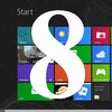
Tips & Tricks For Using Windows 8 is an educational software designed for iPhone users seeking to enhance their understanding and efficiency with the Windows 8 operating system. This application provides a variety of tips and tricks aimed at improving user experience, navigating the interface, optimizing settings, and utilizing features effectively. It covers essential topics such as keyboard shortcuts, system customization, and troubleshooting common issues, making it a valuable resource for both new and experienced users.
Top Recommended Alternative
The application is structured to facilitate easy access to information, with a user-friendly interface that allows for quick navigation through the various tips and categories. Users can expect to find clear explanations and practical advice that can help streamline their daily tasks and improve productivity. Overall, Tips & Tricks For Using Windows 8 serves as a practical guide for anyone looking to maximize their use of the Windows 8 platform.
Used Tips & Tricks For Using Windows 8 for iOS?
Explore More

ZooMoo
Free
Guitar Chord Finder
Free
The Killer Whale
Free
Speed Reading
Free
Nano C programming language interpreter
Paid
Math Video: Linear Graphs & Equations
Paid
OCS Mobile
Free
Real ChalkBoard for iPad
Free
Bamba BBQ
Paid
Student Data Management Mobile (SDM Mobile)
Free
German by Nemo Free Language Learning App for iPhone and iPad
Free
GOSS
Free