Used Time Circuits Dashboard Clock for iOS?


Time Circuits Dashboard Clock Analysis

AI Assisted Content ·

Not written by CNET Staff.

Time Circuits Dashboard Clock is a free entertainment application designed for iPhone users, offering a unique and visually appealing way to keep track of time. The app features a dashboard-style interface reminiscent of classic sci-fi themes, making it not only functional but also entertaining. Users can enjoy customizable clock faces, various time settings, and easy navigation, enhancing the overall user experience.

Top Recommended Alternative

The application integrates smoothly with the iPhone's features, allowing for seamless access to time functions. Additionally, it supports multiple display modes, ensuring that users can personalize their experience to match their preferences. With its engaging design and practical functionality, Time Circuits Dashboard Clock stands out as a creative solution for those looking to enhance their device's clock display.

Enlarged image for Time Circuits Dashboard C…
Time Circuits Dashboard Clock 0/1

Used Time Circuits Dashboard Clock for iOS?


Explore More


Full Specifications

GENERAL
Release
Latest update
Version
1.6
OPERATING SYSTEMS
Platform
iOS
Operating System
iOS 12.1.2
Additional Requirements
Compatible with . iTunes account required.
POPULARITY
Total Downloads
205
Downloads Last Week
0

Report Software

Last Updated


Developer’s Description

1.21 JIGAWATTS! Welcome time travelers! Fluxy88 is proud to present the Time Circuits Dashboard Clock application that emulates the Time Circuits...
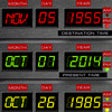
1.21 JIGAWATTS! Welcome time travelers! Fluxy88 is proud to present the Time Circuits Dashboard Clock application that emulates the Time Circuits LED control panel from the DeLorean Time Machine car that was in the Back To The Future" movie!Features of app:- A real digital clock- Beautiful Time Circuit display with custom graphics- Full featured real time GPS speedometer- Post your Time Circuit screen to Facebook- Change any of the times remotely by creating an account inside app and then you can login to Fluxy88.com to have the app update from the internet!- 88 FUN MODE Time Displays included are:"DESTINATION TIME""PRESENT TIME""LAST TIME DEPARTED"You can change any of these times by tapping on the the LABELS. For example, when you tap on the label "DESTINATION TIME", a popup window is displayed where you can tap the digits of the time you desire. Enter numbers like this: 08 for August, 05 for the fifth day of the month. All numbers must be two digits, 1 is 01, 9 is 09. To change the dates remotely, do this:-Create your free account inside the app. Then visit www.Fluxy88.com and select App Login. Change times at our website, then in the settings screen on main screen inside the app, and make sure the UPDATE TIMES FROM FLUXY88.COM is selected. Then every 60 seconds, the times on the app will be updated from the internet! You can use this option to change the dashboard to someones birth day date, anniversary, etc! all on the fly!The speedometer and remotely changing the times are available via in app purchases.Contact us at Fluxy88.com with any questions you may have!Enjoy time travelers and we hope to see you in the FUTURE!

Download.com
Your review for Time Circuits Dashboard Clock
Download.com

AI Assisted Content Disclosure

Content created and reviewed by Softonic with information obtained from Dash Technologies, using AI.

CNET's editorial team was not involved in the creation of this content. Opinions, analysis and reviews were not provided by CNET.