Used Theme Icon Changer - Themezi for Android?
Editors’ Review
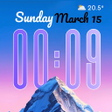
Theme Icon Changer - Themezi, by B535 Studio, is an Android personalization app for overhauling a device's home screen appearance. It lets users swap app icons with gallery photos or predesigned styles, apply synchronized icon/widget/wallpaper themes, and place functional widgets such as clocks, calendars, photo frames, and countdowns. The app includes a DIY icon maker, a library of over 100 theme collections, curated HD wallpapers, and a simplified apply interface suited to aesthetic-focused Android users.
What does Themezi change on your home screen?
Themezi replaces default app icons and supplies coordinated visual sets that cover icons, widgets, and wallpaper. It supports a DIY icon maker that turns gallery photos into app icons and provides a curated wallpaper library. The app also bundles functional widgets, for example clocks, calendars, photo frames, and countdowns, so a single installation can manage multiple visible elements of the home screen.
How much can you customize your home screen with Themezi?
Customization ranges from single-icon swaps to full themed collections: users can pick a photo for one app or apply a synchronized set across the layout. Themezi offers over 100 collections across styles such as 3D, iOS-style, Pastel, Superhero, Cute, Minimal, Anime, and Y2K, giving both incremental control and ready-made cohesion for users who want either precise edits or broad aesthetic changes.
Is Themezi easy to set up and use daily?
Adding widgets and icons follows standard Android steps: long-press the home screen, open the Widgets tab, and select Themezi entries to place widgets. The app uses Android shortcut and widget protocols so it does not depend on complex third-party launchers, and the in-app workflow includes a single-button method for creating and assigning a custom icon from the gallery.
Does Themezi work across devices and what are its limits?
Themezi targets modern Android devices that support widgets and shortcuts, and specific behavior can vary by device and launcher. Users can set wallpapers for home or lock screens through the app's library. Listings note strong aesthetic variety and ease of use, while some feedback mentions gated content or advertisements for particular items, which affects access to certain packs or assets.
Pros
- DIY icon maker converts gallery photos into per-app icons
- Library of over 100 full theme collections across varied styles
- Smart widgets include clocks, calendars, photo frames, countdowns
- Uses standard Android shortcuts and widgets, no third-party launcher required
Cons
- Some content is gated or supported by advertisements
- Specific Android behavior and features vary by device
- Not intended for system-level theming or deep launcher integration
Bottom Line
A practical choice for users who want curated home-screen styling
Themezi is a practical option for Android users who prefer curated aesthetics managed from one app. Expect occasional gated content or ads for specific assets; back up your launcher layout before applying broad theme swaps to avoid reconfiguration. The app suits people who value consistent visual identity on their device and who prefer quick, centralized theme management rather than deep system-level theming.
Used Theme Icon Changer - Themezi for Android?