Used The Task Master Watch Face for Android?


The Task Master Watch Face Analysis

AI Assisted Content ·

Not written by CNET Staff.

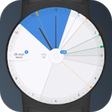
The Task Master Watch Face is designed for Android devices, focusing on providing users with a customizable and functional watch face that enhances productivity. This application allows users to display essential tasks and notifications directly on their smartwatch, ensuring important information is always at a glance. Its intuitive design caters to those who prioritize organization and efficiency in their daily routines.

Key features include various customization options, enabling users to choose different styles, colors, and layouts to match their preferences. The watch face integrates seamlessly with task management applications, allowing for real-time updates and reminders. Users can also personalize their experience by selecting which notifications to display, ensuring that the watch face remains relevant and tailored to their needs.

Enlarged image for The Task Master  Watch Fa…
The Task Master Watch Face 0/4

Used The Task Master Watch Face for Android?


Explore More


Full Specifications

GENERAL
Release
Latest update
Version
1.0
OPERATING SYSTEMS
Platform
Android
Additional Requirements
Requires Android
POPULARITY
Total Downloads
12
Downloads Last Week
0

Report Software

Program available in other languages


Last Updated


Developer’s Description

Own your day with this incredible watch face - check all your daily tasks at one glance in a single clean, interactive layout...

Own your day with this incredible watch face - check all your daily tasks at one glance in a single clean, interactive layout!

Keep track of your most important events and get more info about your goals anytime with a tap of a finger. The Task Master automatically syncs with Google Calendar, seamlessly displaying your daily tasks right on your smartwatch. All events are loaded automatically for selected calendars and shown for the nearest 6 or 9 hours (customizable) to avoid UI cluttering.

Never ever miss any important events again with this unique functional watch face.

Main features:

- Two different versions (Light, Dark);

- Special round and square designs;

- Integrated Google Calendar synchronization;

- Digital and analog time modes;

- Interactive task manager;

- Battery life indicator;

- Smart ambient mode.

NEW FEATURES:

- Updated UI elements;

- Updated Ambient Mode;

- Added Update Now button in Settings for Wear 2.0;

- Default event time window set to the nearest 9 hours, with 6 hours window as an option (to avoid UI cluttering).

Is it for me?

The Task Master is designed for Android Wear watches and works perfectly both on circular and rectangular models.

Supports all Android Wear watches, including:

ASUS ZenWatch 1;

ASUS ZenWatch 2;

ASUS ZenWatch 3;

Moto 360 Sport;

Motorola 360 1st gen;

Motorola 360 2nd gen;

LG G Watch;

LG Watch Style;

LG Watch Sport;

LG G Watch Urbane;

LG G Watch Urbane 2;

Samsung Gear Live;

Sony Smartwatch 3;

Casio WSD-F10;

Fossil Q Founder;

Huawei Watch;

Huawei Watch 2;

Polar M600;

TicWatch S, TicWatch E;

TAG Heuer Connected.

Important Notice!

Samsung Gear, Samsung Gear S, S2 & S3 are NOT YET supported. Please, for Samsung smartwatches based on Tizen follow the link: https://goo.gl/M1ABvk

How to install?

This watch face will be installed automatically from your paired phone.

If it doesn't show up please go to the Android Wear App > Settings and Resync all apps.

Once installed, you can select The Task Master from the Android Wear App or directly on your watch. Proceed with setting up your calendar synchronization.

How to set up for Wear 2.0:

1) Go to Settings on your smartwatch;

2) Select the Choose Account setting;

3) Grant Allow Calendar to access your contacts permission;

4) Choose your account or add a new account from your phone;

5) Select the calendars you want to import events from;

6) Wait while loading the events.

How to set up for Wear 1.X:

1) Go to the Android Wear app on your paired phone;

2) Choose the Task Master watch face;

3) Press the Settings icon;

4) Press the Sync Accounts button;

5) Grant Allow Calendar to access your contacts permission;

6) Choose your account;

7) Wait while loading available calendars;

8) Select the calendars you want to import events from;

9) Wait while syncing calendar events;

10) In case of an error, please try repeating the steps.

Want to drop us a message?

We'd love hearing from you!

Contact us via our website: http://boostwatch.style

Google+ page: https://goo.gl/CJ79u2

or e-mail: wearables@boost.solutions

Are you always in a hurry? The Task Master got you covered!

And don't forget to check out our store for more fine-crafted watch faces - https://goo.gl/S4Dcqa


Download.com
Your review for The Task Master Watch Face
Download.com

AI Assisted Content Disclosure

Content created and reviewed by Softonic with information obtained from BoostApp, using AI.

CNET's editorial team was not involved in the creation of this content. Opinions, analysis and reviews were not provided by CNET.