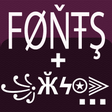
Used Text Font Generator and Rare Symbols for Android?
Editors’ Review
Text Font Generator and Rare Symbols, from Dricodes, converts plain text into stylized typography while adding an option to secure notes and messages. The app groups decorative text tools with on-device cryptography so social posters and gamers can produce distinctive nicknames and protect sensitive snippets. Key capabilities center on text orientation, snippet organization, and quick copy/share workflows. It targets mobile content creators who want rapid styling plus basic message privacy on Android devices.
Top Recommended Alternative
How the app combines expressive text and message security
The app is a personalization utility that modifies how text appears and how private text behaves on mobile devices, oriented at social posting and gaming nicknames. It targets creative expression while offering optional message protection. That dual role places emphasis on fast, local conversions and simple cryptography rather than replacing full-scale encryption suites or desktop text editors.
How much control the organizer and styling tools provide
The tool exposes manipulators for layout and appearance that suit quick posting or curated nicknames. Controls include:
- multiple font styles and a curated symbol library tailored for gaming names
- a text direction modifier to flip or orient content
- a Text Organizer with up to four fields for preparing snippets
What the app does to device performance and background behavior
The app uses a compact interface focused on quick copy-paste workflows. It runs on Android phones, tablets, and Chromebooks that support Google Play. Encryption is performed locally using ciphers such as AES and Vigenère, so processing happens on the device and does not impose GPU-heavy animated content. Because the app focuses on text conversion rather than live rendering, it avoids continuous GPU load and keeps idle memory use modest on typical devices.
How simple it is to set up and share styled or encrypted text
Installation and daily use target fast workflows: generated content uses a one-tap copy and share mechanism and the Text Organizer helps prepare multiple snippets. Generated fonts and symbols are compatible with common social platforms such as Instagram, WhatsApp, Facebook, and TikTok. For encrypted messages the recipient needs the secret key and the app to decode, and the app maintains a high user rating with thousands of reviews indicating broad adoption.
Pros
- Includes AES alongside classic ciphers for on-device encryption
- Text Organizer with up to four fields speeds multi-snippet copy-paste
- One-tap copy and share for generated content
- Curated symbol library aimed at gaming nicknames
Cons
- Encrypted messages require recipients to have the app and secret key
- Styling output depends on platform font support for some symbols
- Not designed for cross-platform cryptographic interoperability
Bottom Line
A practical choice for social sharers who accept key-sharing limits
The app is a practical choice for Android social posters and gamers who want integrated styling and simple message protection. It trades deep cryptographic interoperability for a compact, on-device workflow; recipients must share keys and compatible decoding. For users who accept that limitation, the tool consolidates formatting and privacy in a single mobile utility and supports fast, copy-and-share publishing.
Used Text Font Generator and Rare Symbols for Android?
Explore More

GOLAZO - Football Pro
Free
Gini - Super Wall Changer
Free
Control Widget - Themed Panels
Free
Glovebox
Free
WiFi Manager - Signal Tool
Free
Timer Lock - Photo Video Hide
Free
3D Blue Neon Robot Theme
Free
aniPet Freshwater Live WP
Free
Cute Theme-Starry Heavens-
Free
Fonts
Free
OS Launcher -OS Style Launcher
Free
Papaya - Games Launcher
Free











