Used Temas de Teclado y Fuentes for Android?
Editors’ Review
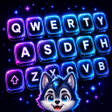
Temas de Teclado y Fuentes, by NovaStellar Scientific, customizes Android keyboards to change visual themes and decorative fonts. It provides an extensive library of themes and font styles, integrated emoji and sticker support, customizable backgrounds, and one-tap switching to apply new appearances without altering typing behavior. Lightweight design targets various Android devices, keeping runtime overhead low for everyday use and suiting casual personalizers who want quick keyboard styling.
How the app alters keyboard appearance while preserving typing mechanics
It is a personalization app that changes the keyboard's visual layer while leaving input mechanics intact, a design choice the developer highlights as maintaining functional typing efficiency. The app applies themes and fonts directly to the keyboard surface, so users see stylistic changes without retraining muscle memory. For Android devices the focus rests on appearance, not on altering layout or key mapping.
How much control users get over themes, fonts, and decorative elements
Users can pick from a library that spans minimalist to vibrant designs and select unique decorative fonts, giving visible variety across typing sessions. The app offers customizable keyboard backgrounds and integrated emoji and sticker support, and it uses a single-tap application model to switch appearances quickly. This arrangement emphasizes easy visual choices rather than fine-grained input remapping or layout customization for power users.
What the app's design implies for system resources and everyday performance
The developer describes the app as lightweight and optimized for performance on various Android devices, which suggests a modest runtime footprint during normal use. That implementation detail helps keep resource demands low while themes are active. For everyday typing sessions the app should not impose significant CPU or memory load, and its design suits devices with entry-level hardware as well as more capable phones.
How straightforward setup and user reception shape daily use
Setup is simple: the app applies themes with a one-tap action and centers controls around quick switches, lowering the barrier for personalizers who prefer minimal configuration. The developer has produced other Android personalization tools, which aligns with the app's focused scope. Users rate it highly, holding about a 4.6-star average on major app platforms, indicating broad approval within the personalization category.
Pros
- Wide theme selection from minimalist to vibrant designs
- Creative font collection for decorative typing styles
- Integrated emoji and sticker support for expressive input
- One-tap theme application and customizable backgrounds
Cons
- Android-only availability limits cross-platform use
- Focuses on visual styles rather than input-layout changes
- No explicit accessibility-oriented display adjustments listed
Bottom Line
A practical, appearance-focused choice for casual keyboard personalization
The app is a practical option for casual Android personalizers who want quick visual keyboard changes without deep system tinkering. Its emphasis on style over input remapping makes it suitable for users seeking fast, low-friction appearance edits; those who need advanced layout changes or dedicated accessibility display controls should look elsewhere. The app occupies a narrow, clearly defined niche and delivers predictable results for appearance-focused users.
Used Temas de Teclado y Fuentes for Android?











