Used Technics Audio Connect for iOS?
Technics Audio Connect Analysis
AI Assisted Content ·
Not written by CNET Staff.
Technics Audio Connect is a multimedia application designed for iPhone, focusing on seamless audio playback and device connectivity. This app allows users to manage their Technics audio devices effectively, offering features such as easy pairing, playback control, and access to various audio settings. With a user-friendly interface, it caters to both casual listeners and audiophiles who seek enhanced audio experiences.
Top Recommended Alternative
The application supports iOS 16.4 and later, ensuring compatibility with the latest iPhone models. Versionis available in multiple languages, including German, French, and Russian. Users can expect regular updates that may enhance functionality and improve user experience. This app is well-suited for anyone looking to optimize their audio setup and enjoy high-quality sound through their Technics devices.
Used Technics Audio Connect for iOS?
Explore More

Sponsored
Adobe Stock
Trial version
Tonebridge Guitar Effects
Free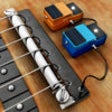
Rockmate
Paid
Bass Booster - Volume Power Amp and mp3 Music Play
Free
MultiTrack DAW
Paid
SikhNet Gurbani Media Center
Free
iMiX16 Free
Free
App for Google Music
FreeR-MIX Tab
Paid
hearEQ: Ear training for musicians and engineers
PaidTube Spider
Free
Amuse - Music Distribution
Free