Used Tayasui Sketches for iOS?


Tayasui Sketches Analysis

AI Assisted Content ·

Not written by CNET Staff.

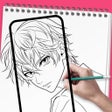
Tayasui Sketches is a versatile drawing and painting application designed for iPhone users, emphasizing a natural drawing experience similar to traditional media. It offers a range of intuitive tools, including pencils, brushes, and watercolor effects, allowing users to create detailed artwork with ease. The program supports layers, enabling complex designs and edits, while its user-friendly interface caters to both beginners and experienced artists. Additionally, the app features a variety of customizable options that enhance creativity and personalization.

This application is available in multiple languages, making it accessible to a wide audience. Users can benefit from exporting their creations in various formats, sharing them directly from the app, or saving them for later use. Overall, Tayasui Sketches stands out as a powerful tool for those looking to express their artistic talents on the go, combining functionality with an engaging user experience.


Enlarged image for Tayasui Sketches
Tayasui Sketches 0/1

Used Tayasui Sketches for iOS?


Explore More


Full Specifications

GENERAL
Release
Latest update
Version
36.6
OPERATING SYSTEMS
Platform
iOS
Operating System
iOS 16.4
POPULARITY
Total Downloads
709
Downloads Last Week
0

Report Software

Last Updated


Developer’s Description

Because beautiful tools make beautiful drawings, we endlessly refined Sketches brushes to create the most realistic drawing tools.
Because beautiful tools make beautiful drawings, we endlessly refined Sketches brushes to create the most realistic drawing tools. Sketches is the most realistic, versatile and user-friendly sketching app designed for a mobile device. This exhaustive artist's toolbox helps users create dazzling sketches, cheerful paintings and smashing illustrations on the go. Features. Import photos. Over 20 ultra realistic tools. Incredibly realistics watercolor wet brushes. Brushes Editor. Color Eyedropper. Pro Export and sharing. Layers. Use layers to simplify your task. Export them as separate PNG with transparency. Folders (iPad only). Easily organize your drawings in beautiful and easy to personalize folders or books. Pressure Stylus support. Discover even more realistic brushes while Styluses. We support Apple, Wacom and Adonit Styluses. A Unique feeling: Each stroke behaves vividly and truly like brush on paper, adapting the pressure, angle, and width to your movements. It's an effect you have to see to believe. A unique UI with a touch of Zen: Tools are hidden away as you create and the bare minimum buttons are shown to make for a very clean canvas. Community: Share your drawings with the Sketches Community where you can find inspirations and vote for other people drawings. I. List of tools. Pen. Rotring. Felt Pen. Pen Brush. Oil Pastel. Watercolor Dry and Wet brushes. Acrylic brush. Airbrush. Area and Filling tool. Patterns. Text (iPad only). Shapes (iPad only). Eraser. Cutter. Smudge tool. Ruler.

Download.com
Your review for Tayasui Sketches
Download.com

AI Assisted Content Disclosure

Content created and reviewed by Softonic with information obtained from Tayasui, using AI.

CNET's editorial team was not involved in the creation of this content. Opinions, analysis and reviews were not provided by CNET.