Used System Scheduler for Windows?


Editors’ Review

Download.com staff
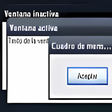
This free application impressively allows you to schedule programs to run and close and hands out quick pop-up reminders. System Scheduler lets you schedule specific times to open programs and even send keystrokes to be entered. You can set events to run as often as every minute or as sporadically as once a year. Schedule the program's window watcher to close, minimize, or automatically send key presses to any opened window by simply entering the title that will appear in the title bar of your browser or file and the time you want the action to occur. We also like that it includes pop-up reminders with optional WAV audio files for important events and you can hit snooze for the reminder to reappear in so many user-specified minutes. For automatic program launching and quick reminders, System Scheduler is an excellent choice and best of all--it's free.
Enlarged image for System Scheduler
System Scheduler 0/2

Used System Scheduler for Windows?


Explore More


Full Specifications

GENERAL
Release
Latest update
Version
4.23
OPERATING SYSTEMS
Platform
Windows
Operating System
  • Windows 7
  • Windows 2003
  • Windows 2000
  • Windows Server
  • Windows 10
  • Windows 8
  • Windows Vista
  • Windows XP
Additional Requirements
None
POPULARITY
Total Downloads
118,169
Downloads Last Week
1

Report Software

Program available in other languages


Last Updated


User Reviews

4.5/5

68 User Votes


Developer’s Description

Launch specific programs at specific times.

Download.com
Your review for System Scheduler