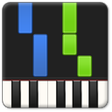
Used Synthesia for Windows?
Editors’ Review
Back in our childhood, learning to play the piano meant sitting next to someone on a bench and plunking out a two-note song called "To the Zoo." We might have stuck with our piano instruction if we'd been doing it with Synthesia. This impressive program is part game and part learning tool, and we think it's a great choice for anyone looking to get started playing the piano or improve his skills.
The program has an attractive, professional-looking interface. You can play using keyboard keys, which obviously doesn't do a great job of mimicking a real piano keyboard, or plug in a USB keyboard for a more realistic experience. The program comes with a long list of songs that are arranged alphabetically and ranked by difficulty. Upon selecting a song, you can choose to play only the right or left hand, play both hands, or simply watch Synthesia play it and follow along. The practice interface reminded us very much of Guitar Hero, with upcoming notes sliding down the screen toward the appropriate key. The free version of the program does have some limitations; you can practice song rhythms or score yourself playing a song, but both sheet music access and melody practice require the purchase of a Learning Pack. We feel like this might be a worthwhile purchase, however, and we highly recommend that people who are interested in learning to play the piano give Synthesia a try and then decide whether you want to shell out for the Learning Pack. We have a feeling that many people will.
Synthesia installs and uninstalls without issues.
Used Synthesia for Windows?
Explore More

RoboCert 000-579 Practice Testing Engine
Free
selfexamprep TB0-124 Question and Answer
Free
Learn Arabic Starter
PaidTurbulence Training Ebook Review
Free
Grade 9 Math by WAGmob
Paid
Professor Teaches Windows 8.1
Paid
Testchief MB2-876 Questions and Answers
Free
CertWays 77-888 Practice Test Engine
Free
MetroReader
Free
Testchief C BOSUP 90 Practice Test Engine
FreeAssessor for Teachers
Trial version
Selfexamprep 156-315.75 Test Engine
Free











