Used Steg for Windows?


Editors’ Review

Download.com staff
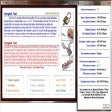
Steg is a cross-platform application that hides arbitrary data inside various image formats using steganography and cryptography. It offers fine-tuning of parameters and supports both symmetric and asymmetric encryption.
  • Pros

    • Hides data directly within image data, not metadata.
    • Supports JPEG, TIFF, PNG, and BMP formats.
    • Includes both symmetric and asymmetric cryptography.
    • Cross-platform compatibility (Linux, Windows, macOS).
    • Portable application.
  • Cons

    • No mention of specific encryption algorithms.
    • No built-in file compression for hidden data.
    • Does not explicitly support GIF or WebP formats.

Used Steg for Windows?


Explore More


Full Specifications

GENERAL
Release
Latest update
Version
1.0.0.2
OPERATING SYSTEMS
Platform
Windows
Operating System
  • Windows 8
  • Windows XP
  • Windows 2003
  • Windows Server
  • Windows 7
  • Windows 10
  • Windows Vista
Additional Requirements
None
POPULARITY
Total Downloads
238
Downloads Last Week
3

Report Software

Program available in other languages


Last Updated


Developer’s Description

Hide information inside uncompressed and compressed images.
Steg is a cross-platform and portable software, written in C++. It use steganography and cryptography techniques to hide information inside uncompressed and compressed images. JPEG (JPG), TIFF, PNG, BMP image formats are supported. It really hides arbitrary data inside the image itself (not in metadata/comment fields or appended to the end of the file). With it's easy graphical user interface is possible to fine tune steganography parameters, evaluates image's artifacts and uses both symmetric-key and asymmetric-key cryptography. Arbitrary data can be hidden as compressed archive file and it's also possible to add a text comment.I wrote Steg in my spare time, for fun, and to learn some basics of the Qt Framework.Steg runs on GNU/Linux, Microsoft Windows and Apple Mac OS X.

Download.com
Your review for Steg