Used StatusBar+ for Android?


Download.com has chosen not to provide a direct-download link for this product and offers this page for informational purposes only.

StatusBar+ Analysis

AI Assisted Content ·

Not written by CNET Staff.

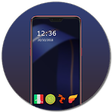
StatusBar+ is a comprehensive application designed for Android devices that enhances the functionality and aesthetics of the status bar. This app allows users to customize their status bar with various themes, colors, and icons, creating a personalized look that suits their individual preferences. The interface is user-friendly, making it easy to navigate through the settings and apply changes quickly.

Top Recommended Alternative

In addition to visual customization, StatusBar+ includes features such as notification management and the ability to display additional information directly on the status bar. Users can choose from multiple layouts and styles, ensuring that their status bar not only looks good but also provides essential information at a glance. Overall, StatusBar+ offers a versatile solution for those looking to personalize their Android status bar.

Enlarged image for StatusBar+
StatusBar+ 0/1

Used StatusBar+ for Android?


Explore More


Full Specifications

GENERAL
Release
Latest update
Version
beta-one
OPERATING SYSTEMS
Platform
Android
Operating System
  • Android 2.2
  • Android 2.3
  • Android 2.1
  • Android 3.2
  • Android 4.0
  • Android 3.1
  • Android 3.0
Additional Requirements
Android OS 2.1
POPULARITY
Total Downloads
322
Downloads Last Week
0

Report Software

Program available in other languages


Last Updated


Developer’s Description

Get a custom status/notification bar on your Android device.
A custom status bar that goes where you go, done WP7 style.StatusBar+ is the first custom status/ notification bar for Android, no root or custom ROM required.It works in any orientation and appears consistently for ANY application. It is designed to look and function like the status bar used in Windows Phone 7. As such, using the default configurations, you should see a black strip where your normal status bar would appear with a digital clock on the right-hand side. Click the status bar to watch the other indicators drop down.Should the default configurations not appear the following features are included:- Enable/ disable the custom status bar.- Automatic hiding in full screen applications.- Automatically enable the status bar when the device is booted.- Automatically disable then re-enable the swipe to expand the system status bar when the screen if turned off and when the device is unlocked (Note: this does NOT work with most custom lock screens).- Automatically hide while in the lock screen.- Enable/ disable clicking to drop down the status bar icons.- Change the icon and background colors.- Hide/ show any icon.- More to be added soon.Currently supported system indicators include:- Signal strength (GSM, EVDO, and CDMA. 4G HSPA+, WiMax, and LTE experimental).- Data network type (ie. EDGE, 3G, 4G)- Roaming.- WiFi signal strength.- Bluetooth.- Language.- Battery percentage.- Battery icon indicator.- Time (automatic 24-hour detection based on the system preference).

Download.com
Your review for StatusBar+
Download.com

AI Assisted Content Disclosure

Content created and reviewed by Softonic with information obtained from The Seven+ Project, using AI.

CNET's editorial team was not involved in the creation of this content. Opinions, analysis and reviews were not provided by CNET.