Used Statusbar Style: Emoji Battery for Android?
Editors’ Review
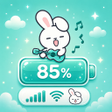
Statusbar Style: Emoji Battery, developed by Taptura Studio, is an Android personalization app that replaces the default battery icon with emoji-based indicators and skins the system status bar. It swaps the standard battery for hearts, animals, and animated faces, and offers charging animations, animated stickers, and system icon editing to reshape the bar's look. The app targets Android users who want deep visual customization without rooting, especially those who favor kawaii or aesthetic themes and gesture-driven shortcuts.
What does Statusbar Style change in the status bar?
The app substitutes the stock battery icon with emoji that can change according to battery percentage and exposes controls for background color, icon style and layout. It also lets you alter system glyphs such as Wi‑Fi, signal strength and notification icons, so visible status elements can match a chosen aesthetic or approximate an iOS-style arrangement without altering system files.
How deep are the customization controls for the status bar?
Customization extends beyond icon swaps: gesture mapping covers tap, double-tap, long press and swipe, each assignable to actions like taking a screenshot, opening the camera or locking the screen. The notch customizer lets you change the notch shape or blend it with the bar, and separate toggles govern animated stickers and charging animations so decorative elements and charge feedback are adjustable.
Is it straightforward to set up and how does it affect daily performance?
Setup requires granting the Accessibility Service permission so the app can display themed controls and overlay custom status elements over other apps. That overlay model enables visual changes but increases workload when animated stickers or charging effects are active; users note performance is best on devices with sufficient resources to handle accessibility overlays rather than on entry-level hardware.
Pros
- Battery emoji can change with battery percentage
- Gesture mapping supports tap, double-tap, long press and swipe
- Notch customizer to reshape or blend the device notch
- System icon modification for Wi‑Fi, signal and notifications
Cons
- Requires Accessibility Service to display overlays
- Animated stickers and charging effects increase resource use
- May be unsuitable for users preferring conservative stock status bar
Bottom Line
A focused choice for expressive Android customizers
Statusbar Style: Emoji Battery suits Android users who prioritize playful or aesthetic system accents, because it centers on emoji-based battery icons and broad status bar styling. It fits people willing to accept visible overlays and decorative changes in daily use. Test a few combinations on your primary device before committing to a complete theme, to confirm legibility and interaction with frequently used apps.
Used Statusbar Style: Emoji Battery for Android?











