Used SPL Meter for Android?


SPL Meter Analysis

AI Assisted Content ·

Not written by CNET Staff.

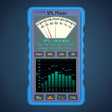
SPL Meter is a free Android application designed for measuring sound pressure levels in decibels (dB). This tool is particularly useful for audio professionals, musicians, and anyone interested in monitoring sound levels in various environments. The app features a simple interface that allows users to easily start measuring sound levels, with real-time readings displayed on the screen. Additionally, users can calibrate the meter to improve accuracy based on their specific device.

Top Recommended Alternative

The SPL Meter utilizes the microphone of the Android device to capture sound data, providing measurements that can help in assessing noise levels in different settings. It is designed to function effectively in a variety of scenarios, from checking sound levels at concerts to ensuring compliance with noise regulations. With its user-friendly design and essential functionalities, SPL Meter serves as a practical tool for managing sound environments.


Enlarged image for SPL Meter
SPL Meter 0/3

Used SPL Meter for Android?


Explore More


Full Specifications

GENERAL
Release
Latest update
Version
1.16
OPERATING SYSTEMS
Platform
Android
Operating System
Android 13.0
POPULARITY
Total Downloads
718
Downloads Last Week
3

Report Software

Program available in other languages


Last Updated


Developer’s Description

Sound Pressure Level (SPL) Meter, A & C Weighting, Third Octaves Spectrum, ...
Sound Pressure Level Meter. This app uses the microphone to detect sound and convert it into an SPL value. FOR INDICATION ONLY. Results depend on your device and its hardware. The range between the noise floor and saturation may be only 20 dB on the worst devices, but could exceed 100 dB on the best devices. Features of this SPL meter include: Analogue Dial with Max and Min indicators.Weighting A, C or None . (A weighting filters the high and low frequencies according to how the ear perceives sound loudness). Results are in dB, dBA or dBC depending on weighting.Averaging of SPL, Clear and Pause buttons.Octaves and third octaves - Frequency spectrum of the sound.Graph Shows the time depedence of the sound.Autoscale or manual (pinch & pan) Y-Axis.Relative button if looking for differences, tapping REL will remove the current averaged value from the reading.Calibrate option If you have a calibrated SPL meter or known loudness source, you can use this option to calibrate the meter. (However its still for Indication Only).More technical details can be found on the website.Content rating: Everyone

Download.com
Your review for SPL Meter
Download.com

AI Assisted Content Disclosure

Content created and reviewed by Softonic with information obtained from keuwlsoft, using AI.

CNET's editorial team was not involved in the creation of this content. Opinions, analysis and reviews were not provided by CNET.