Used Speccy Emulator for Windows?
Editors’ Review
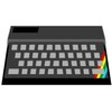
Speccy Emulator, by Marat Fayzullin, recreates Sinclair ZX Spectrum hardware on Windows and Linux for modern users. The program runs Spectrum code, loads tape and disk images and snapshots, emulates multiple model variants from 16kB to +3, and reproduces timing and memory maps for software compatibility. It also offers audio-to-MIDI logging, peripheral mapping, and a built-in debugger for testing and archival tasks. Speccy suits retro players, computer historians, and developers who need fidelity and portability rather than modern wrappers.
What kind of experience does Speccy recreate?
In this emulator the player interacts with authentic Spectrum software by loading tape, snapshot, or disk images and observing original runtime behaviour. The tool emulates multiple models including the 16k, 48k, 128k, +2, +2A, and +3 variants and targets cycle-accurate timing and original memory maps. Supported image formats include .TAP, .TZX, .SNA, .Z80, .TRD, and .DSK, so most archival files run without conversion.
Does it support modern controllers and original peripherals?
Inside Speccy the player can use emulated classic input devices or map them to contemporary hardware. The emulator provides peripheral emulation for Kempston and Sinclair joysticks, the Kempston mouse, and the ZX Printer. On Windows these joystick standards can be mapped to modern gamepads or to keyboard keys, allowing original control schemes to transfer to current controllers without altering the game files.
What does the program look and sound like?
When running the emulator visuals mimic Spectrum output with optional 64-colour ULA+ mode and custom palettes for altered displays. Sound reproduces both the internal beeper and the AY8910 programmable sound generator, preserving register-level behaviour. A distinctive feature records emulated audio and exports it as MIDI files, letting users analyse or play back chip tunes in external music tools.
Is it hard to get started and who benefits from technical tools?
For players the emulator offers instant play via .SNA and .Z80 snapshots while tape images (.TAP, .TZX) reproduce authentic loading sequences when wanted. The tool includes a built-in debugger for code inspection and a snapshot save system for exact state restoration, which suits developers and archivists. The project dates back to 1995 and also runs on Linux and Android, supporting debugging and testing workflows across platforms.
Pros
- Emulates multiple Spectrum models accurately, from 16k through +3
- Supports major image formats including .TAP, .TZX, .SNA, .Z80, .TRD, .DSK
- Audio-to-MIDI export for soundtrack recording and analysis
- Built-in debugger useful for developers and archival verification
Cons
- No bundled software; users must supply their own Spectrum files
- Authentic tape-mode loading can be slow for quick play sessions
- Interface favours technical users over a polished graphical front end
- Windows build receives primary attention; ports exist for Linux and Android
Bottom Line
Recommendation: a technical, no-frills emulator suited to archival and precision use
Speccy is a focused choice for retro enthusiasts and developers who value fidelity and portability, owing to its C-based codebase and decades-long development. However, users seeking a polished graphical wrapper may prefer alternatives, since the project emphasizes a compact, low-resource implementation rather than modern front-end conveniences. Expect a technical workflow rather than a guided consumer experience.
Used Speccy Emulator for Windows?