Used SOLAR LAB-Space Simulator for Android?
Editors’ Review
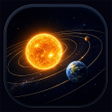
Change planetary mass, radius, or velocity and watch system dynamics evolve in real time, using an interactive 3D sandbox and guided lessons. SOLAR LAB-Space Simulator, from RoseHong, runs on Android as an education-reference app. It combines a visual simulation workspace with a stepwise Learning Mode and a saveable sandbox workflow. The tool is designed for secondary and post-secondary students, classroom instructors, and hobbyists who want to test predictions about celestial mechanics.
Real-time physics engine supports investigative experiments
The simulator runs a real-time N-body gravity simulation that computes multi-object trajectories, so users can set initial conditions and observe emergent behavior. Students can run scenarios that produce collisions, close encounters, or escape trajectories, then rewind and inspect outcomes. That live calculation model makes outcomes data-driven rather than illustrative, letting learners compare predicted motion to simulated results.
Learning Mode translates concepts into stepwise lessons
The app’s Learning Mode presents interactive chapters that cover topics such as escape velocity, orbital motion, and multi-body interactions. Each chapter pairs a short conceptual prompt with a playable scenario, so learners progress from definition to hands-on testing. Chapters guide hypothesis testing, asking users to predict results before running experiments and observe how changing parameters alters system behavior.
Classroom use requires device capability and instructor setup
The developer targets educators and students, but the tool performs best on hardware able to render 3D physics simulations in real time, which affects classroom deployment. Teachers planning a lab session need to allocate setup time for scenario creation and to verify device performance. Device testing and a prepared activity sheet help avoid in-class delays when several simulations run concurrently.
Progress evidence and custom content support assessment tasks
Progress tracking happens through interactive chapters and by recording major simulation events for later review, so assessment relies on saved session artifacts rather than automated class analytics. The sandbox lets instructors and learners create and save custom planetary configurations to reuse as assignment templates. Recorded events and saved scenarios provide concrete evidence learners can annotate and submit for feedback.
Pros
- Real-time N-body gravity engine models multi-object interactions
- Learning Mode offers chapters on escape velocity and orbital motion
- Sandbox lets users create and save custom planetary configurations
Cons
- Progress tracking limited to recorded events and lesson chapters
- Classroom deployment needs device testing due to 3D simulation demands
- Requires instructor setup time to create reusable scenarios
Bottom Line
A practical fit for lab-driven instruction with preparatory work
Given RoseHong’s focus on educational simulations, this simulator suits instructors and motivated learners who design hands-on experiments and assessment tasks. Expect to prepare scenarios and test device performance before class. Use short prediction prompts and worksheets alongside simulations to turn visual runs into measurable learning activities; instructors who plan that way get the most classroom value from the tool.
Used SOLAR LAB-Space Simulator for Android?