Used SLR Booth Pro for Android?


SLR Booth Pro Analysis

AI Assisted Content ·

Not written by CNET Staff.

SLR Booth Pro is a free Android application designed for creating a photo booth experience directly on smartphones and tablets. This multimedia tool offers users the ability to quickly set up a photo booth by leveraging their device's camera capabilities. The app allows for easy configuration and customization, enabling users to choose between front-facing and back-facing cameras, ensuring flexibility for various photo-taking scenarios. Users can expect a streamlined setup process that caters to both novice and experienced users alike.

Top Recommended Alternative

In addition to its user-friendly interface, SLR Booth Pro includes features that enhance the photo-taking experience, such as auto-focus options and the ability to adjust settings for optimal results. The app is particularly beneficial for events, parties, or gatherings where instant photo capturing is desired. With its professional-grade capabilities, SLR Booth Pro provides an accessible solution for anyone looking to create memorable photo opportunities without the need for traditional photo booths.

Enlarged image for SLR Booth Pro
SLR Booth Pro 0/1

Used SLR Booth Pro for Android?


Explore More


Full Specifications

GENERAL
Release
Latest update
Version
3.0.0
OPERATING SYSTEMS
Platform
Android
Operating System
Android 13.0
POPULARITY
Total Downloads
142
Downloads Last Week
0

Report Software

Program available in other languages


Last Updated


Developer’s Description

SLR Booth Pro is the ultimate Photo Booth solution.

SLR Booth Pro is the ultimate Photo Booth solution.

Pro Features:

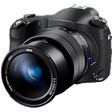
- Attach your compatible Canon or Nikon DSLR camera to the USB-otg port on your Android device, and get professional image quality not available from your device's front-facing camera.

- The live preview screen with adjustable countdown means everyone is ready for the shot, and looking their best.

- Use custom templates with place holder auto-detection - no configuration files or specifying x/y coordinates required.

- Compatible with phones, tablets, all-in-ones, and TV boxes.

- Chroma-Key background replacement.

- Share individual photos via Facebook, Twitter, Email.

- Your clients can send photos to their phones via QR code or SMS - even from devices without SIM cards.

- Print to AirPrint, Google Cloud Print, or FTP enabled printers.

- Automatic uploads to a hosted, password-protected on-line gallery.

- Trigger via touch, bluetooth remote or USB foot pedal.

- Kiosk mode to customize interface during events

Troubleshooting Help:

Setting up all the required equipment for a booth can be tricky. Please see our website at http://www.slrbooth.com/setup/slr-booth-supported-cameras/ for a list of compatible cameras and suggested hardware. If you have questions, suggestions, or find a bug please contact info@slrbooth.com and we will be happy to assist you.


Download.com
Your review for SLR Booth Pro
Download.com

AI Assisted Content Disclosure

Content created and reviewed by Softonic with information obtained from SLR Booth Software, using AI.

CNET's editorial team was not involved in the creation of this content. Opinions, analysis and reviews were not provided by CNET.