Used sin:speed - sim racing instruments for iOS?


sin:speed - sim racing instruments Analysis

AI Assisted Content ·

Not written by CNET Staff.

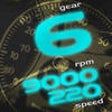
Sin:speed - Sim Racing Instruments is a comprehensive utility designed for sim racing enthusiasts, providing a suite of instruments to enhance the racing experience. This application offers features such as customizable dashboards, telemetry data display, and real-time performance metrics, allowing users to monitor their vehicle's performance while racing. The app supports a variety of racing games, making it a versatile tool for both casual and competitive players.

Top Recommended Alternative

The interface is user-friendly and designed to be easily navigable, even at high speeds. Users can create personalized layouts to suit their preferences, ensuring that critical information is always within reach. Sin:speed also integrates seamlessly with popular racing titles, capturing essential data to provide insights into lap times, speed, and other vital statistics. This tool is ideal for those looking to optimize their racing strategy and improve their overall performance.

Enlarged image for sin:speed - sim racing in…
sin:speed - sim racing instruments 0/1

Used sin:speed - sim racing instruments for iOS?


Explore More


Full Specifications

GENERAL
Release
Latest update
Version
1.3
OPERATING SYSTEMS
Platform
iOS
Operating System
iOS 12.1.2
Additional Requirements
Compatible with iPod Touch (3rd generation or later, iPhone 3Gs, iPhone 4, iPad. iTunes account required.
POPULARITY
Total Downloads
106
Downloads Last Week
0

Report Software

Last Updated


Developer’s Description

The ultimate app for sim racer!Use your iPhone / iPod touch or iPad (min. iOS v4.3) as wireless speedometer for your favorite sim racing titles...
The ultimate app for sim racer!Use your iPhone / iPod touch or iPad (min. iOS v4.3) as wireless speedometer for your favorite sim racing titles like "iRacing", "rFactor2", "Live for Speed", "R3E", "Assetto Corsa", "Project CARS", ...... and many more.All games except "Live for Speed" needs the "sin:speed connector" application running on your pc.Videos: http://www.youtube.com/sinspeedappTwitter: http://www.twitter.com/sinspeedappGeneral usage:- Start the app- Choose Live for Speed or sin:speed connector - Follow the configuration hints on screen- Start your racing simulation- Get on racetrack with your iOS device as speedometerUsage speedometer screen:- Swipe left or right - Change style- Swipe up or down - Back to Welcome screenFor detailed instructions + additional information visit:www.subsonicpulse.de--Features:- Wireless operation over WLAN / Wifi- Clear view of speedometer data- Units: Metric or English ("Settings" app)- Different styles to choose- Automatic scaling of speedometer to match chosen car- Windows application to support additional gamesDirect supported games:- Live for SpeedSupported games of connector application- Assetto Corsa*- DTM Experience*- Formula Truck- GT Legends- GTR 2- GTR Evolution- GTR- Game Stock Car- Kart Racing Pro*- Race - The WTCC Game- Race 07 + AddOns- Race On- Race Room - Racing Experience- Race Room - The Game- STCC - The Game- STCC2 - The Game- iRacing- Project CARS*- rFactor 2- rFactor(*Need sin:speed connector beta)You can download the connector application from www.subsonicpulse.deIf you have ideas, questions or problems concerning the app, pleasewrite an e-mail.E-Mail: app@subsonicpulse.dePlease send mails in english or german language only.

Download.com
Your review for sin:speed - sim racing instruments
Download.com

AI Assisted Content Disclosure

Content created and reviewed by Softonic with information obtained from Christian Hiob, using AI.

CNET's editorial team was not involved in the creation of this content. Opinions, analysis and reviews were not provided by CNET.