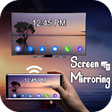
Used Screen Mirroring to Smart TV for Android?
Editors’ Review
Screen Mirroring to Smart TV, from Bitsy Technologies, projects Android screens to television displays so users can view media, mirror apps and run presentations on larger screens. The app connects mobile devices to TVs over the local Wi‑Fi network and simplifies casting setup for family use, casual gaming, and workplace presentations. It is aimed at Android owners seeking a straightforward, hardware-free display option that uses existing home connectivity and basic media casting tasks.
Top Recommended Alternative
Screen Mirroring uses Miracast and DLNA to transfer screen output and media to compatible displays. The app lists support for photos, videos, music and E‑books and can cast live streaming platforms such as YouTube, Twitch and BIGO LIVE. A short feature list clarifies capabilities:
Mirroring relies on common casting standards and supports varied media
- Real-time screen mirroring with low latency
- One-click connection for quick pairing
- Compatibility with Chromecast, Roku and Fire TV devices
Network performance determines responsiveness for gaming and streaming
Because the tool transmits over the local Wi‑Fi network rather than a cable, actual responsiveness depends on router load and signal quality. The app is described as having low latency suitable for mobile gaming in many conditions, but users should expect variation by TV model and network congestion. Using a stable, lightly loaded Wi‑Fi segment produces the best playback and interaction result.
Local pairing and a secure mode reduce exposure during casting
The application requires both devices to share the same Wi‑Fi network and prompts users to enable phone 'Wireless Display' or 'Cast' and the TV's Miracast or Screen Mirroring option before connecting. The developer notes a secure connection mode to protect transmitted files, which keeps sessions confined to the local network rather than routing media through external servers in typical setups.
Simple workflow fits casual users, while compatibility checks help power users
One-click pairing and a straightforward interface are noted in user feedback as contributing to stability and ease of use. Casual users can start casting after enabling the device-level display option, while presenters and gamers should verify TV or dongle compatibility and test responsiveness before a critical session. The app supports Android devices from version 4.2 onward, so device compatibility matters for some older phones.
Pros
- Real-time mirroring reported with low latency suitable for gaming
- Supports local media and live streams like YouTube and Twitch
- Works with major smart TV brands and popular streaming sticks
- One-click pairing simplifies setup on shared Wi‑Fi networks
Cons
- Responsiveness depends on local Wi‑Fi and TV model
- Requires the TV to support wireless display or a compatible stick
- Requires Android 4.2 or higher, excluding older devices
Bottom Line
Recommended for users seeking easy local casting, with a practical networking caveat
Screen Mirroring to Smart TV is a practical option for Android users who need to display mobile content on a larger screen; it works well for family viewing and informal presentations. Expect variable responsiveness tied to your local network and TV model, so test the link before important use. In practice, the app performs reliably for those wanting a quick, equipment-light way to mirror screens.
Used Screen Mirroring to Smart TV for Android?
Explore More

VB.NET Shell (Visual Basic Offline Compiler)
Free
Spider Stickman Rope Hero Venom Battel War
Free
B-control Energy Manager
Free
Netherlands VPN-Free Unlimited Netherlands Proxy
Free
SIM card Toolkit manager application
Free
Consultar CPF Sujo Gratis SCLT
Free
National Anthem Of Russia
Free
Auto Clicker : Super Fast Tapping
Free
Vigiphone
Free
SYLVANIA Smart WiFi
Free
Lottery Machine
Free
Gallery Lock - Lock Photos & Hide Videos
Free











