Used Samsung TV Remote Control for Android?


Samsung TV Remote Control Analysis

AI Assisted Content ·

Not written by CNET Staff.

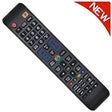
Samsung TV Remote Control is a free Android application designed to replace traditional remote controls for Samsung televisions. It simplifies the user experience by allowing users to navigate their TV's interface, change channels, adjust volume, and access streaming services directly from their mobile devices. The app connects via Wi-Fi, ensuring a seamless control experience without the need for physical remotes.

In addition to basic functionalities, the app supports advanced features such as keyboard input for easier text entry and a touchpad mode for more intuitive navigation. Users can also customize their interface with shortcuts to frequently used apps, enhancing overall convenience. Compatibility with a wide range of Samsung TV models makes it a versatile tool for Samsung device owners.

Enlarged image for Samsung TV Remote Control
Samsung TV Remote Control 0/4

Used Samsung TV Remote Control for Android?


Explore More


Full Specifications

GENERAL
Release
Latest update
Version
1.7
OPERATING SYSTEMS
Platform
Android
Additional Requirements
Requires Android 4.1 and up
POPULARITY
Total Downloads
186
Downloads Last Week
3

Report Software

Program available in other languages


Last Updated


Developer’s Description

Samsung Remote Control This App is designed to be used with Samsung TV DISCLAIMER This app is not the official Samsung Remote App.

Samsung Remote Control

This App is designed to be used with Samsung TV

**DISCLAIMER**

This app is not the official Samsung Remote App.

SUPPORTED MODELS:

AA59-00326,

AA59-00357,

AA59-00370A,

AA59-00370B,

AA59-00382A,

AA59-00399A,

AA59-00399B,

AA59-00399E,

AA59-00424A,

AA59-00465A,

AA59-00466A,

AA59-00483A,

AA59-00484A,

AA59-00508A,

AA59-00478A,

AA59-00560A,

AA59-00582A,

AA59-00594A,

AA59-00616A,

AA59-00628A,

AA59-00630A,

AA59-00638A,

AA59-00640A,

AA59-00649A,

AA59-00714A,

AA59-00741A,

AA59-00742A,

AA59-00743A,

AA59-00793A,

AA59-00795A,

AA59-00799A,

AA59-00809A,

AA59-00823A,

AA83-00655A ,

BN59-000624A,

BN59-00399A,

BN59-00434A,

BN59-00434C,

BN59-00457A,

BN59-00477A,

BN59-00489,

BN59-00507A,

BN59-00512A,

BN59-00516A,

BN59-00517A,

BN59-00529A,

BN59-00530A,

BN59-00531A,

BN59-00539A,

BN59-00555A,

BN59-00557A,

BN59-00559A,

BN59-00567A,

BN59-00590A,

BN59-00596A,

BN59-00602A,

BN59-00603A,

BN59-00604A,

BN59-00609A,

BN59-00610A,

BN59-00611A,

BN59-00613A,

BN59-00676A,

BN59-00681A,

BN59-00683A,

BN59-00684A,

BN59-00684B,

BN59-00685A,

BN59-00685B,

BN59-00686A,

BN59-00687A,

BN59-00701A,

BN59-00702A,

BN59-00705A,

BN59-00706A,

BN59-00752A,

BN59-00857A,

BN59-00847A,

BN59-00859A,

BN59-00862A,

BN59-00863A,

BN59-00864A,

BN59-00865A,

BN59-00886A,

BN59-00888A,

BN59-00901A,

BN59-00937A,

BN59-00938A,

BN59-00940A,

BN59-00943A,

BN59-00960A,

BN59-01005A,

BN59-01015A,

BN59-01012A,

BN59-01014A,

BN59-01018A,

BN59-01039A,

BN59-01040A,

BN59-01052A,

BN59-01069A,

BN59-01078A,

BN59-01081A,

BN59-01175C,

BN59-01175K,

BN59-01178B,

BN59-01178F,

BN59-01179B,

BN59-01175B,

BN59-01175N,

BN59-01180A,

BN59-01189A,

BN59-01189B,

BN59-01198C,

BN59-01198Q,

BN59-01199G,

BN59-01247A,

BN59-01198D,

BN59-01198R,

BN59-01054A

It was designed with care to try and bring users an overall better experience

**** IMPORTANT ****

This app needs your phone to have an Infrared sensor

Not sure what this means? you can try downloading the app and see if it works

Your remote is missing? Just ask us for it from the app

Features:

* Best User Interface

* NO installation, just click and play

* AMAZING design with cool & easy interface

Have questions? remote isn't working?

Please feel free to give suggestions, contact us at remotifyapps@gmail.com


Download.com
Your review for Samsung TV Remote Control
Download.com

AI Assisted Content Disclosure

Content created and reviewed by Softonic with information obtained from Remote World, using AI.

CNET's editorial team was not involved in the creation of this content. Opinions, analysis and reviews were not provided by CNET.