Used Ryder for Windows?


Editors’ Review

Download.com staff
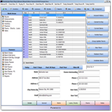
This application offers robust features for scheduling and recording maintenance tasks. It replaces paper forms with digital records, exportable to Excel, and supports extensive documentation and part management.
Enlarged image for Ryder
Ryder 0/3
  • Pros

    • Replaces paper-based maintenance forms
    • Records exportable to Excel 2007+
    • Supports image and document attachments per device
    • Integrated email client for parts ordering
    • Barcode generator and reader included
  • Cons

    • User roles limited to write, delete, save
    • No mention of cloud sync or mobile access
    • No details on reporting customization
    • Limited to Barcode 39 format
    • Background image customization is superficial

Used Ryder for Windows?


Explore More


Full Specifications

GENERAL
Release
Latest update
Version
1.0.2.8
OPERATING SYSTEMS
Platform
Windows
Operating System
  • Windows 10
  • Windows 8
  • Windows 7
  • Windows XP
Additional Requirements
.NET Framework 4.0, Microsoft Excel 2003
POPULARITY
Total Downloads
181
Downloads Last Week
1

Report Software

Program available in other languages


Last Updated


Developer’s Description

Schedule and record maintenance.
Login access only user with password. Three rules for user write, delete, save. Completely replaced paper-based form. Records can be printed neatly through the report even to an Excel table.(excel 2007 and higher) for each device can be assigned to image. It is also possible to assign documents such as diagrams, instruction manuals in various formats and even drag and drop system. For each device can be assigned to maintain a daily, week, month, year. You can put a dial chart that tells you what you have done and then collectively write the work. For each device, you can assign parts For each spare part you can set the maintenance interval in days or work hours and picture. view all spare parts in list view. All material is available in one place. You can order replacement parts through the e-mail client built with the info about the device automatically enters into administration. you fall off the laborious search in the manuals. you can determine which devices are displayed in the selected period to allow a maximum frequency of inspections and maintenance. You can change the background image applications when you start the application. You can easily filter out records by date. No installation required. Program can be placed on the local server You can also set priority for devices which will be 1. 2. 3. 4. in week, month, year. Barcode 39 generator and reader.

Download.com
Your review for Ryder