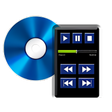
Used Remote for Panasonic Blu-ray for Android?
Remote for Panasonic Blu-ray Analysis
AI Assisted Content ·
Not written by CNET Staff.
Remote for Panasonic Blu-ray is a multimedia application designed for Android devices, enabling users to control their Panasonic Blu-ray players conveniently. This free application offers a user-friendly interface that simplifies the management of playback functions. Key features include volume adjustment, channel switching for both audio and video, and options to enable or disable automatic channel changing. Additionally, users can modify playback speed, selecting from slow, normal, or fast settings.
Top Recommended Alternative
The application is tailored specifically for Panasonic Blu-ray players, ensuring compatibility with a variety of models while lacking support for other brands. Setup is minimal, allowing users to quickly begin controlling their devices without extensive configuration. This app is ideal for those seeking an efficient way to manage their Blu-ray player directly from their Android device.
Used Remote for Panasonic Blu-ray for Android?
Explore More

Sponsored
Adobe Stock
Trial version
2 TV
Free
WG-M1
Free
MyTvBoss - Video Player for My Tv Boss
Free
4k Video Downloader Pro
Free
Audio Video Mixer
Free
UltraFlix
Free
IPTV Smart Purple Player - No Ads
Free
Video Popup Player Floating with Background Music
Free
Video Player (Equalizer and Floating Player) 2018
Free
Q-See Plus
Free
Story Saver For Instagram - Story Manager
Free











