Used Realistic Ultra Shader Mod for Android?


Realistic Ultra Shader Mod Analysis

AI Assisted Content ·

Not written by CNET Staff.

Realistic Ultra Shader Mod is an entertainment application designed for Android devices that enhances the visual quality of games. This app introduces advanced shading techniques, improving the overall graphics and realism of supported titles. Users can expect to see enhanced lighting, shadows, and textures that contribute to a more immersive gaming environment.

The application is user-friendly, allowing for easy installation and configuration. It is compatible with various games, providing options to customize settings based on individual preferences. With its focus on delivering high-quality visuals, Realistic Ultra Shader Mod aims to elevate the gaming experience without requiring significant technical knowledge from the user.

Enlarged image for Realistic Ultra Shader Mo…
Realistic Ultra Shader Mod 0/2

Used Realistic Ultra Shader Mod for Android?


Explore More


Full Specifications

GENERAL
Release
Latest update
Version
2.020
OPERATING SYSTEMS
Platform
Android
Additional Requirements
Requires Android 4.4 and up
POPULARITY
Total Downloads
16
Downloads Last Week
1

Report Software

Program available in other languages


Last Updated


Developer’s Description

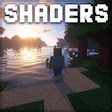
Shaders are designed to improve the appearance of the game in Minecraft.

Shaders are designed to improve the appearance of the game in Minecraft. Download Shader Mod, and plunge into the world of new positive emotions!

Tools presented as shaders are a bit similar to the Texture Pack for MCPE. Their distinctive feature is their advanced features. If you are a little bit tired of the usual world of Minecraft you can paint it with new bright colors, using Shader Mod.

The tools provided in the app will help to change the game graphics. For example, you can increase the brightness of the world of Minecraft, add waving leaves or grass, volumetric fog, and much more. Everything is limited only by your imagination!

You can download each of the Shader mods for free at any time after installing the Shader Mod. Open the app and choose from the huge collection the Shader that suits you.

Shader Mod opens access to a wide variety of shaders, including:

- Realistic Shader;

- Seus pe;

- 3D Shader;

- Esbe 2g;

- 4K Shader;

- RWSPE shader;

- Optifine HD and many others.

Please note that each type of Shader requires certain system characteristics of the mobile device. If you download a Shader that is not supported by your smartphone, the game won't open at all.

The app contains a collection of the best and most popular shaders that will help you improve the world of Minecraft, based solely on your preferences. Use it right now and share your impressions in the comments. If you have any suggestions for improving the mod, please also let us know.


Download.com
Your review for Realistic Ultra Shader Mod
Download.com

AI Assisted Content Disclosure

Content created and reviewed by Softonic with information obtained from APPPSCLUBQ, using AI.

CNET's editorial team was not involved in the creation of this content. Opinions, analysis and reviews were not provided by CNET.