Used Rap Recorder HD for Android?


Rap Recorder HD Analysis

AI Assisted Content ·

Not written by CNET Staff.

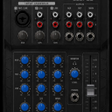
Rap Recorder HD is a powerful multimedia application designed for Android users who want to create and record their own music tracks. It features a mobile studio setup with one instrumental track and three vocal tracks, allowing users to mix their vocals with high-quality instrumentals. The app supports various audio formats, enabling users to import their own MP3 or M4A files or choose from provided beats. With the ability to monitor tracks, mute individual sections, and apply audio effects, users can enhance their recordings to achieve a professional sound. In addition to recording capabilities, Rap Recorder HD allows users to manage their lyrics and export finished tracks at a high bitrate of 320bps. The app also includes features such as a latency fix for improved timing, a cutting tool for editing, and options to share tracks with friends. Ideal for rap, hip hop, and various music genres, this free application offers a comprehensive suite of tools for aspiring musicians and vocalists.

Enlarged image for Rap Recorder HD
Rap Recorder HD 0/4

Used Rap Recorder HD for Android?


Explore More


Full Specifications

GENERAL
Release
Latest update
Version
494
OPERATING SYSTEMS
Platform
Android
Operating System
Android 15.0
POPULARITY
Total Downloads
24
Downloads Last Week
0

Report Software

Program available in other languages


Last Updated


Developer’s Description

JUST LIKE IN A STUDIO...

JUST LIKE IN A STUDIO

You want to record your rap as MP3 on an instrumental? Okay, got it, even for FREE!

This app is meant for recording your rap on beats. You can select one of out fresh new beats or import any mp3 instrumental beat from your device.

Did you ever want to create rap songs on your favorite MP3 instrumental? Now you can record your rap songs, edit them, and finally share them with friends.

This app is perfect for freestyle but also to rap to lyrics. Of course you can use this app for any kind of genre or karaoke. It's a high quality audio track rap recorder.

Did your vocal seem too low or loud? Adjust the volume easily! Does it sound too low or too high? Use the built-in equalizer.

Emphasize your chorus with an autotuning effect or use reverb, to sound even more professional.

If your first take is not perfect, just change a part of your rap. Use the cutting-tool or just record overdubbing it!

USE ALL NEW LIVE EFFECTS

Try EQ for a clean or bassy sound

Reverb for a perfect sounding ambient

With autotuning you can sound like your favorite rapper

NEW:

Correct the delay using our latency fix option

Just use gain, if you want your vocal louder

Instructions:

0 Recommended: Connect your headphones or an external speaker via audio cable (Bluetooth increases the latency)

1 Just import your MP3 (M4A or others) instrumental by using the + button or choose one of the provided beats

2 Start recording mode by clicking on the record button and adjust the volume of the live monitoring of your vocals

3 Hit the play and the afterwards the record button to start recording your voice

4. Scroll to any position to start your recording there

Caution: Keep in mind that existing vocals will be overdubbed.

5. Switch back to the editing mode, to edit your record. Use the markers to edit just a particular section. Choose effects to apply on the whole track or just the marked area.

6. Share your song via the share button with your friends or export it to the phone storage.

Privacy:

Your pricacy matters! That's why your songs never leave your device if you don't want to. You can share your recordings with your friends, but you don't have to share them at all.

Have fun producing great new hip hop songs with the new Rap to MP3 Recorder. Share your talent with the world or keep all just for yourself.


Download.com
Your review for Rap Recorder HD
Download.com

AI Assisted Content Disclosure

Content created and reviewed by Softonic with information obtained from OskiApps, using AI.

CNET's editorial team was not involved in the creation of this content. Opinions, analysis and reviews were not provided by CNET.