Used Quick Control - Smart Panel for Android?
Editors’ Review
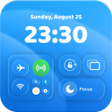
Experience quick, swipe-access control for Wi‑Fi and Bluetooth toggles, brightness and media sliders, plus screenshot and screen-recording shortcuts from a single overlay. Made by Scrub Jay Press for Android, Quick Control - Smart Panel groups shortcuts into ready-made templates and offers layout personalization. It includes visual themes and background options, aimed at users who prefer a control center-style interface and want faster access to common device controls.
How templates and background options let you set up a panel quickly
The app supplies ready-made templates to populate a panel layout without building it from scratch, and lets users rearrange modules after initial setup. Background options include multiple visual treatments that change the panel's look:
- transparent
- blurred
- wallpaper-based (gallery integration)
How the app runs on Android and what it needs to operate
The panel functions as an overlay and uses an accessibility-style input to detect edge swipes, so it keeps a background presence to listen for gestures. The app may show advertisements during use. Because it draws over other apps, it remains active while you’re in a different application, which is how one-swipe access to tools like screen recording is delivered.
How permission scope affects safety and control
The app requests an elevated permission set to detect gestures and present the overlay, which gives it the ability to toggle settings and draw interface elements over other software. That permission model explains why the panel can change connectivity toggles and adjust volume or brightness without opening system menus. Users should note that those capabilities rely on granted permissions rather than read-only inspection.
Who gains most from this control-center approach
Template-driven setup lowers the barrier for casual users who want fast access, while layout personalization and advanced shortcuts appeal to people who tweak their interface. The developer’s emphasis on visual themes and gallery backgrounds targets customization-minded users. The app currently has a small install base, so those seeking broad community support or many third-party presets may find fewer shared layouts available.
Pros
- Ready-made templates speed panel configuration
- Background options: transparent, blurred, or wallpaper integration
- One-swipe access to screen recording from any app
- Layout personalization lets you arrange shortcuts logically
Cons
- Requires Accessibility and overlay permissions to function
- Small user base with limited download numbers
- May display advertisements during use
Bottom Line
Practical for personalizers, but dependent on elevated permissions and limited support
The app provides predictable, on-device control for people who value a swipeable panel and visual customization. Its template approach and visual options suit personalization-focused users. The main trade-off is the required permission set combined with a small user base, which may influence both perceived privacy risk and the pace of future updates or shared community content.
Used Quick Control - Smart Panel for Android?











