Used Portal Gun for Minecraft for Android?


Portal Gun for Minecraft Analysis

AI Assisted Content ·

Not written by CNET Staff.

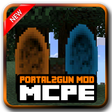
Portal Gun for Minecraft is an engaging application that integrates features from the popular game Portal into Minecraft Pocket Edition. This free app introduces unique gameplay mechanics such as the PortalGuns, enabling players to create portals for instant teleportation, and the GravityGun, which allows for manipulation of blocks and mobs. Additional elements include turrets for defense, jumper blocks for vertical movement, and gel blocks that interact with player movement in interesting ways. Furthermore, players can enjoy music from Portal 2 through a built-in jukebox or Portal Radio, enriching the gaming experience.

The application necessitates an internet connection to access additional content and includes links to online resources and social media platforms, intended for users aged 13 and above. As an unofficial app, it is not affiliated with Mojang AB or Valve, making it an independent addition to the Minecraft universe. This integration of Portal mechanics into Minecraft Pocket Edition offers players a fresh way to explore and create within the game.

Enlarged image for Portal Gun for Minecraft
Portal Gun for Minecraft 0/3

Used Portal Gun for Minecraft for Android?


Explore More


Full Specifications

GENERAL
Release
Latest update
Version
3.1.0
OPERATING SYSTEMS
Platform
Android
Operating System
Android 9.0
POPULARITY
Total Downloads
35
Downloads Last Week
0

Report Software

Program available in other languages


Last Updated


Developer’s Description

Portal 2 Mod (previously Portal Gun) adds many of the features as found in the popular first-person puzzle-platform Portal games to Minecraft Pock...

Portal 2 Mod (previously Portal Gun) adds many of the features as found in the popular first-person puzzle-platform Portal games to Minecraft Pocket Edition. The gameplay elements include features like the PortalGuns to place portals, a GravityGun which can be used for both blocks and mobs and lots of other nifty tools.Guns

The PortalGun Wood and Stone is used to place the portals. Two portals can be placed and used to walk through to get teleported from one point to another. It can be used 100 times.The PortalGuns can be used to pick up blocks from the ground and move them to be placed somewhere else. There are four types of such guns:

The GravityGun can be used to pick up mobs and blocks from the ground and then bring them to the place where you want them placed. You can also choose to shoot them away. A bit more cruel, but fun!Turrets

Turrets are can be placed down and act as guards which protect from all intruders (even yourself). To manage the turret tap on it with the Turret Options item.Portal Music

There are three discs added which all can be used to play music from Portal 2 using a jukebox.If you feel more for some electronic music then try out the Portal Radio.Jumper

Jumper blocks can be placed on the ground and whenever you walk on top of a jumper you will be rocketed up into the air.Gel Blocks

There are two types of gel blocks which will cause two different effects when walking or jumping on them.If you jump on the Repulsion Gel Block it will cause you to automatically jump four more times (lower and lower) until ultimately stopping you from jumping.

Important Consumer Information: requires Internet connection to download additional content (network fees may apply); contains direct links to the Internet and social networking sites intended for an audience over 13.

DISCLAIMER: This is an unofficial application for Minecraft Pocket Edition. This application is not affiliated in any way with Mojang AB or Valve. The Minecraft Name, Portal name, Portal Brand, the Minecraft Brand and the Minecraft and Portal Assets are all property of Mojang AB or Valve or their respectful owner. All rights reserved. In accordance with http://account.mojang.com/documents/brand_guidelines


Download.com
Your review for Portal Gun for Minecraft
Download.com

AI Assisted Content Disclosure

Content created and reviewed by Softonic with information obtained from Better Mods, using AI.

CNET's editorial team was not involved in the creation of this content. Opinions, analysis and reviews were not provided by CNET.