Used Pixelful Icon Pack - Apex/Nova/Go for Android?


Pixelful Icon Pack - Apex/Nova/Go Analysis

AI Assisted Content ·

Not written by CNET Staff.

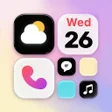
Pixelful Icon Pack - Apex/Nova/Go is a versatile Android application designed for personalization enthusiasts. This full version app enhances the visual appeal of devices with a collection of pixel-style icons, compatible with popular launchers such as Apex, Nova, and Go. Users can easily apply these icons to personalize their home screens and app drawers, creating a unique look that reflects their style. The app caters to a wide range of users with its compatibility with Android versions starting from 4.3 and offers support in both English and Italian.

Top Recommended Alternative

The application features a simple interface that allows for straightforward navigation and customization. It includes a diverse selection of icons, ensuring users have plenty of options for personalizing their devices. The last update was made in January 2017, and while it has been available since 2017, the number of downloads indicates a niche but dedicated user base. Overall, Pixelful Icon Pack - Apex/Nova/Go serves as an effective tool for those looking to enhance their Android experience through personalized iconography.

Enlarged image for Pixelful Icon Pack - Apex…
Pixelful Icon Pack - Apex/Nova/Go 0/4

Used Pixelful Icon Pack - Apex/Nova/Go for Android?


Explore More


Full Specifications

GENERAL
Release
Latest update
Version
10
OPERATING SYSTEMS
Platform
Android
Operating System
Android 15.0
POPULARITY
Total Downloads
181
Downloads Last Week
1

Report Software

Program available in other languages


Last Updated


Developer’s Description

PIXELFUL ICON PACK The first and only icon pack developed for transform the icons of any device, in the better style you have ever seen.

PIXELFUL ICON PACK

The first and only icon pack developed for transform the icons of any device, in the better style you have ever seen.

IMPORTANT NOTES

This is not an official product but it's developed by Ciao Studio to give a harmonious and clean look to any device;

This is an icon pack and requires a custom launcher to work. Pixel Launcher or any other launcher that is factory installed do NOT support icon packs (except LG Home, Xperia Home, OnePlus Launcher and Asus ZenUI). There is no possible way to support a launcher that doesn't support theming options. Please do not ask regarding this matter;

LG Home doesn't support icon packs with a lot of icons and LG breaks support to standard icon packs in Nougat system based.

FEATURES

The true first icon pack with a Pixelful look;

Best quality at a very low price;

More than 4600 icons inspired by Android 10 style;

High resolution icons good also on 2K screens;

The only one where the icons are not distorted but remain faithful to the originals;

Turn every icon in rounded style thanks to icons masking for unthemed icons;

200 great high-quality wallpapers available on cloud;

A lot of alternative icons to choose from;

Supported by a lot of Launchers;

Built-in request tool for request missing icons;

Frequently updates with new icons;

Supported by Muzei Live Wallpapers;

Material style exclusive clock widget;

Dynamic calendars icon according to the day of the month (on launchers that support it).

COMPATIBILITY

From Pixelful Icon Pack you can select the following launcher: ABC, Action, ADW, Apex, Atom, Aviate, Evie, GO, Holo, Holo HD, LG Home, Lucid, M, Mini, Next, Nougat, Nova, Smart, Solo, V, ZenUI, Zero.

It can also be used in many more launchers that support icon packs but arent specified within the application itself, for example: Arrow, ASAP, Cobo, Flick, iTop, KK, Lawnchair, Line, Mesh, MN, N, New, Open, Peek, S e Z Launcher, in Xperia Home and in CyanogenMod Theme Engine.

FREE ICONS REQUEST

In each update, icons are updated and new ones are added, based on users requests made using the dedicated built-in tool;

After making an icons request, you need to be patient because every day are received a lot of them;

The requests are analyzed and the icons are added for apps which meet certain requirements like having a good number of downloads.

ADVICES

To get the same style of screenshots, you have to follow these steps using Nova Launcher:

Desktop -> Width padding -> Large

Desktop -> Searchbar style -> Select the one in the screenshots, trasparency 20%

Desktop -> Page indicator -> Line

App & widget drawers -> Swipe to open -> On

App & widget drawers -> Card background -> Off

App & widget drawers-> Background -> White, trasparency 10%

Dock -> Dock Background -> Rectangle, white, trasparency 60%

Dock -> Searchbar in dock -> Below icons

Dock -> Width padding -> Large

Folders -> Folder background -> Select the first

Thanks to Axi K. for some icons designed for us by him and to Dani Mahardhika for CandyBar.


Download.com
Your review for Pixelful Icon Pack - Apex/Nova/Go
Download.com

AI Assisted Content Disclosure

Content created and reviewed by Softonic with information obtained from Ciao Studio, using AI.

CNET's editorial team was not involved in the creation of this content. Opinions, analysis and reviews were not provided by CNET.