Used Pixa Launcher: Home Screen for Android?
Editors’ Review
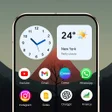
Pixa Launcher: Home Screen, from Zigzag App Developers, is an Android home screen replacement focused on privacy and responsive navigation for daily use. It replaces the default launcher with a fast, minimal interface that keeps apps and shortcuts within reach while offering integrated privacy controls that remove the need for extra security apps. The launcher exposes layout, gesture, theming, and wallpaper controls to personalize the desktop, and it targets privacy-conscious users seeking a tidy, configurable home screen experience with responsive animations.
What Pixa replaces on the home screen and how it handles privacy
Pixa acts as a full home screen replacement and embeds privacy tools directly in the interface. The app includes an integrated App Lock and Hide Apps capability, a smart app drawer for organized access, and an HD wallpaper gallery. The embedded approach reduces reliance on separate security utilities and keeps those controls reachable from the launcher without switching to other apps.
How much control you get over layout, icons and gestures
Pixa provides explicit layout control: users can adjust grid size and icon scaling, toggle label visibility, and assign swipe and gesture shortcuts. The launcher supports widget placement across home panels and exposes gesture mappings for launching actions or shortcuts. The configuration screen groups these personalization controls so a single session can adjust spacing, icon scale, and a set of swipe actions.
Whether it impacts device responsiveness or system resources
Pixa is presented as a fast, lightweight launcher that is optimized for speed and low memory usage, and the interface uses smooth animations designed to feel snappy on a variety of hardware. Reported stability and responsive navigation reflect a focus on low overhead, which makes the launcher suitable for devices where conserving RAM and keeping UI latency low matters.
How easy it is to set up and how broadly it works with Android apps
Setup is straightforward because privacy functions are built into the launcher, removing steps that otherwise require third-party tools. The App Lock supports password or pattern protection, and Hide Apps removes selected items from both the home screen and the app drawer. The launcher supports light and dark modes and is designed to run on modern Android devices; the developer Zigzag publishes other utility and personalization apps in its portfolio.
Pros
- Built-in App Lock and Hide Apps inside the launcher
- Adjustable grid size and icon scaling for precise layouts
- Gesture support for launching actions and shortcuts
- Optimized for speed and low memory usage on diverse devices
Cons
- Compatibility depends on Android system updates and API changes
- May lack large third-party theme marketplaces found elsewhere
Bottom Line
Pixa is a practical choice for privacy-focused Android users
Pixa is a practical option for privacy-conscious users who want a compact, performance-minded home screen replacement. Its in-launch privacy controls and lightweight design suit people who prefer a single place for personalization and app protection. A consideration: as a launcher, long-term behavior depends on Android system updates and API changes, so users who prioritize absolute long-term compatibility should monitor update notes.
Used Pixa Launcher: Home Screen for Android?











