Used Pie Chart 3D for iOS?


Pie Chart 3D Analysis

AI Assisted Content ·

Not written by CNET Staff.

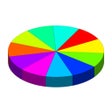
Pie Chart 3D is a productivity application designed for iPhone users who need to create and manage pie charts effortlessly. This app allows users to input data and generate 3D pie charts for visual representation, making it a useful tool for presentations and reports. With its user-friendly interface, the app simplifies the process of customizing colors, labels, and data segments, enabling users to tailor their charts to meet specific needs.

Top Recommended Alternative

The application is compatible with iOSand above, ensuring a broad range of device support. Version 2.0 offers enhancements in performance and usability, allowing for smoother chart creation. Pie Chart 3D operates exclusively in English, which may limit accessibility for non-English speakers. Overall, it serves as a practical solution for individuals and professionals seeking to visualize data in a compelling way.

Enlarged image for Pie Chart 3D
Pie Chart 3D 0/1

Used Pie Chart 3D for iOS?


Explore More


Full Specifications

GENERAL
Release
Latest update
Version
2.0
OPERATING SYSTEMS
Platform
iOS
Operating System
iOS 12.1.2
POPULARITY
Total Downloads
31
Downloads Last Week
0

Report Software

Last Updated


Developer’s Description

Pie Chart 3D Creator allows you to create pie chart wherever you are. Available for iPad and iPhone.Just few taps and your pie chart is ready. You...
Pie Chart 3D Creator allows you to create pie chart wherever you are. Available for iPad and iPhone.Just few taps and your pie chart is ready. You can save it for later or email immediately.On iPad you can rotate it to landscape mode and present directly to your audience.In version 1.0 you can:- add new slices (up to 12),- move slices on a chart in slice settings,- change slice size,- rotate whole chart, just swipe your finger next to chart border,- skew chart, just swipe up and down in the center,- scale chart, use two fingers, like with pictures,- save for later, in chart settings, chart is saved with date and chart name, (up to 15 saved charts),- load saved charts, you will be warned that your current chart will be replaced,- delete unneeded charts (just tap edit button on load list or swipe finger to right hand side),- reset chart values to default 5 slices,- email image with chart to any recipients email.Planed for next versions: - setting title font and position- setting labels fonts and positions- background change- scaling feature when sending from iPad- custom colors for slices.- InApp purchaseChart uses two nice classes which I created and are available on my website:- pie chart 3d class for drawing pie charts, with protocol returning clicked slice,- color picker class allowing quick color selection from the list.

Download.com
Your review for Pie Chart 3D
Download.com

AI Assisted Content Disclosure

Content created and reviewed by Softonic with information obtained from ORPI.pl, using AI.

CNET's editorial team was not involved in the creation of this content. Opinions, analysis and reviews were not provided by CNET.