Used Pic Stitch - #1 Collage Maker for Android?


Pic Stitch - #1 Collage Maker Analysis

AI Assisted Content ·

Not written by CNET Staff.

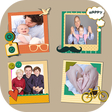
Pic Stitch is a free multimedia application designed for Android users to create stunning photo collages effortlessly. It features a wide range of templates, allowing users to combine multiple images into a single cohesive collage. The app is designed with a user-friendly interface, making it accessible for individuals without any prior editing experience. Users can easily select their photos, arrange them within the chosen template, and share their creations across various social media platforms.

The application also provides various customization options, including the ability to adjust borders and ratios, ensuring that users can create personalized collages to suit their preferences. With its straightforward functionality and ease of use, Pic Stitch caters to anyone looking to enhance their photo-sharing experience by creating visually appealing collages.

Enlarged image for Pic Stitch - #1 Collage M…
Pic Stitch - #1 Collage Maker 0/4

Used Pic Stitch - #1 Collage Maker for Android?


Explore More


Full Specifications

GENERAL
Release
Latest update
Version
6.7.0-864
OPERATING SYSTEMS
Platform
Android
Operating System
Android 15.0
POPULARITY
Total Downloads
155
Downloads Last Week
0

Report Software

Program available in other languages


Last Updated


Developer’s Description

Quickly combine multiple photos into one beautifully framed picture.

Quickly combine multiple photos into one beautifully framed picture! Be creative and get all the angles, capture all the looks, see all the faces together in one layout with the Pic Stitch collage maker.

Pic Stitch packs a simple design with a powerful editor to give you everything you could possibly want to make your photo's even more amazing.

Creating a grid layout is easy! Choose from hundreds of layouts, or make your own. Take pics with your camera directly from the app, or choose from your albums or Facebook. Use your fingers to scale, crop, rotate, and adjust pics in your layout. Apply dozens of filters and custom effects.

Save your collages to your album, or share your masterpiece on your favorite social media networks including Facebook, Twitter and Instagram. You can also order prints from your local Walgreens for in-store pickup directly from the app.

Use Pic Stitch to create a before-and-after sequence, combine great photos of you family and friends, or produce a photographic series. This is a must-have tool for fashion bloggers, foodies, and professionals too!

* Collage Features *

- Over 245 different layouts, or create your own custom layout.

- Get one free layout a day through our promotion, or unlock them all with the Frames Add-On Pack.

- Choose photos from your albums, Facebook, Google, Dropbox, or take new pictures directly with your camera.

- 15 different photo aspect ratios including 1x1, 4x6, 3x4, 5x7, 9x16, and more.

- Easy to use interface.

* Editing Features *

- Dozens of photo effects and filters, customize your own effects.

- Pan, rotate, flip, mirror and zoom to manipulate your images.

- Customize photo borders with the Borders Add-On Pack. Change the thickness, rounded corners, color, or use a custom image for the border.

- Save, load, and work on multiple Pic Stitch projects with ease.

* Export Features *

- Share onto Facebook, Twitter, Instagram, Pinterest, Whatsapp, Path and more.

- Export to Dropbox, Evernote or any other installed application that will accept JPEG images.

- Save to photo album.

- Share via email.

- High resolution export for quality on newer devices.

- Order prints to be picked up at Walgreens in about an hour with QuickPrints.


Download.com
Your review for Pic Stitch - #1 Collage Maker
Download.com

AI Assisted Content Disclosure

Content created and reviewed by Softonic with information obtained from Big Blue Clip LLC, using AI.

CNET's editorial team was not involved in the creation of this content. Opinions, analysis and reviews were not provided by CNET.