Used Phoenix Weighing Scale for Android?
Editors’ Review
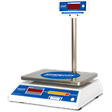
Phoenix Weighing Scale by Nitiraj Engineers turns an Android device into a Bluetooth remote display and control hub for Phoenix electronic scales, a practical fit for warehouse operators and retail shop owners. The app mirrors weight values in real time, accepts remote Tare and Zero commands, and saves weighing records to mobile storage. It also supports multiple active scales, CSV/PDF export, and a troubleshooting section, aimed at commercial and industrial weighing workflows.
Top Recommended Alternative
How the app links a phone to Phoenix scales and what it shows
The app uses Bluetooth to pair with Phoenix electronic scales and streams weight readings to the phone screen. Core interactions include remote activation of Tare and Zero functions and selection among connected devices. Key outputs are logged weight files stored on the device, and the interface exposes options to export those files as CSV or PDF, which supports digitized record-keeping for on-site operations.
How it interacts with the Android system and device resources
The tool requires Android 6.0 or higher and relies on the platform's Bluetooth stack, so its system impact is tied to active Bluetooth activity and background process behavior. Data transfers move weight files into mobile storage, which uses available disk space. The app includes a troubleshooting section to diagnose connectivity problems, which helps mitigate time spent resolving Bluetooth pairing or range-related issues during daily use.
Whether it meets safety and permission expectations in production environments
The app requires Android permissions that permit Bluetooth scanning, specifically location permission on newer Android releases, which is a standard platform requirement. Its design targets Phoenix-brand weighing hardware only, reducing the risk of mismatched device commands. Exported files live on the mobile device, so administrators should apply their usual file-handling policies for storage and sharing to maintain operational security.
How easy it is to set up and who benefits most
The interface is presented for quick setup and immediate use in retail and industrial settings, with a simple connect flow: enable Bluetooth, refresh the device list, and select the scale. Built-in troubleshooting and the requirement to grant Android permissions mean non-technical operators can complete initial configuration with brief guidance. The app therefore suits operators and managers who already use Phoenix equipment and need mobile access to scale data.
Pros
- Real-time Bluetooth mirroring of scale weight readings
- Remote Tare and Zero control from the mobile device
- Exports weight records as CSV and PDF files
- Built-in troubleshooting for connectivity issues
Cons
- Works only with Phoenix-brand Bluetooth-equipped scales
- Requires Android location permission for Bluetooth scanning
- Functionality depends on Bluetooth range and device stability
Bottom Line
Practical choice for Phoenix hardware users, with a clear compatibility trade-off
Phoenix Weighing Scale is a practical option for businesses committed to Phoenix equipment that require mobile integration. The main limitation is reliance on Bluetooth-equipped Phoenix scales and the necessary Android permissions, which narrows deployment to compatible environments. Where those constraints are acceptable, the tool fits routine operational needs and reduces paper logging. Recommended.
Used Phoenix Weighing Scale for Android?
Explore More

High Brightness Mode
Paid
Nox Cleaner - Phone Cleaner, Booster, Optimizer
Free
InstaWifi
Free
Material Terminal
Free
LG Smart TV Remote : keyboard
Free
SystemPro
Free
Bihar Voter List 2020( ) Download
Free
Device Lookup - Junk Clean
Free
Hebrew Calendar Widget
Free
Pokemon HOME
Free
Free Roku Remote
Free
OS Monitor: Tasks Monitor
Free











