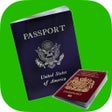
Used Passport Photo for iOS?
Passport Photo Analysis
AI Assisted Content ·
Not written by CNET Staff.
Passport Photo is a free iPhone application designed to assist users in creating compliant passport photos effortlessly. This app simplifies the process by providing a user-friendly interface that guides users through taking and editing photos according to official specifications. It offers features such as automatic background removal, face alignment, and customizable cropping options to ensure that the final image meets passport requirements.
Top Recommended Alternative
Additionally, Passport Photo supports various photo formats and sizes, making it versatile for different types of identification documents. Users can easily save their edited images or share them directly from the app. With its straightforward design and practical tools, Passport Photo serves as a convenient solution for anyone needing to produce professional-quality passport photographs quickly.
Explore More

Sponsored
Adobe Stock
Trial version
Portraiture - face makeup kit to retouch photos and beautify your portraits!
Paid
IPTV Television - M3U List
Free
Mirror for Panasonic Smart TV
Paid
CIBOX-JUMP
Free
SplitCam
Free
Wiggif-create 3D GIFs
Paid
Face Cap - Motion Capture
Free
Crop for Free Instant Photo Cropping Editor
Free
Animoto Video Slideshow Maker
Free
Fantasy Art
FreeSnapCape- Make Money by Photos
Free