Used Parted4Android (SD Partition) for Android?


Parted4Android (SD Partition) Analysis

AI Assisted Content ·

Not written by CNET Staff.

Parted4Android (SD Partition) is a free utility designed for managing SD card partitions on Android devices. This application enables users to create, resize, and delete partitions easily, catering to various file system formats such as FAT32, ext2, ext3, and ext4. The straightforward interface allows for seamless navigation, making it suitable for both novice and experienced users who wish to customize their SD card storage.

Top Recommended Alternative
The program provides essential features like partitioning options, formatting capabilities, and the ability to view existing partitions. Parted4Android is particularly useful for users looking to optimize their device storage or set up partitions for specific purposes, such as app storage or media files. Its compatibility with a range of file systems enhances its versatility, making it a valuable tool in the Utilities & Tools category.

Enlarged image for Parted4Android (SD Partit…
Parted4Android (SD Partition) 0/4

Used Parted4Android (SD Partition) for Android?


Explore More


Full Specifications

GENERAL
Release
Latest update
Version
0.0.2.2
OPERATING SYSTEMS
Platform
Android
Additional Requirements
Requires Android 4.4 and up
POPULARITY
Total Downloads
89
Downloads Last Week
2

Report Software

Program available in other languages


Last Updated


Developer’s Description

By giis
Rooted app for Removable SD Card that provides safe and easy management of SD Card partitions.

Rooted app for Removable SD Card that provides safe and easy management of SD Card partitions. This app supports management of both primary and logical partitions. It also allows you to create, format, mount, un-mount, backup, restore and delete SD Card partitions with a simple and clear graphical form. App also supports both MBR and GPT partition table format. Remember, Internal SD card are not supported!

Email Communication language:

Please use English as your communication language when you write email to me. If you don't know English use something like 'translate.google.com' or attached screen-shot of order-id or order-number as a hint if you want refund. Most of all don't panic :P I have no interest in stealing your money ;)

Requirements:

Root permission and su binary.

Empty SD Card.

Free Features:

Ad free - No ads, I hate them too!

Create up-to two primary partitions.

Format new partition with FAT32,ext2FS,ext3FS and ext4FS.

Refresh button for quick on-demand view. No reboot needed.

Mount partition on a specific mount point.

Delete unwanted individual partition.

View partition sector Information.

Display overall SD-Card and Individual partition sizes.

Auto-mount partitions after reboot.

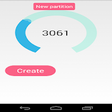
Explore all partition as a Pie Chart.

Individual partition pie slice with action menu.

Erase all partitions.

Option to Reboot the device.

List available block devices.

Supports Android internal partitions. (Experimental)

After an In-app purchase you can unlock the following features:

Create up-to 3 primary partitions.

Create up-to 128 primary partitions. (GPT)

Assign label/name to partitions. (deferred)

Create unlimited logical partitions. (yeah, its supported!)

Format, delete, un-mount unlimited partitions.

Auto-mount multiple partitions at boot time.

Backup/Restore primary and extended MBR partition table.

Backup/Restore GPT partition table.

Support for un-mount partition.

Verify partition mount status.

Single click to create multiple partitions. (deferred)

Email-Support for partition related issues.

Please a take minute to read below polices:

Download policy:

Please remember this app works only with root permission/rooted phones. If you don't know about rooted apps, then most likely this app will not work on your mobile. Please save your bandwidth :-)

Purchase policy:

This is a highly technical app, it mayn't work with certain devices. I would highly recommend you to play with free version and ensure it works on your device before considering upgrade.

Refund policy:

If you're unsatisfied for any reason, you can cancel your plan within the first 7 days and request a full refund, no questions asked.

Status:

This app is heavily under development, tested only with Android Kitkat. Please provide your support with valuable feedback or bug reports.

Bug reports & other queries:

If you need reply please write to hello@giis.co.in. By default, Android doesn't reveal sender email-id with your bug reports. It's impossible to reply you without knowing your email-id ;-)

Permissions:

Read-Write access to storage device.

Internet access if you choose to report a bug via email.

Zero Ratings:

If you believe this app deserves (zero rating) you are most welcome. At the same-time, remember zero rating with reviews are more useful for fellow users and developer. It either helps user to save their time or developer to improve the app. Thanks for understanding.


Download.com
Your review for Parted4Android (SD Partition)
Download.com

AI Assisted Content Disclosure

Content created and reviewed by Softonic with information obtained from giis, using AI.

CNET's editorial team was not involved in the creation of this content. Opinions, analysis and reviews were not provided by CNET.