Used Paper Camera for iOS?
Editors’ Review
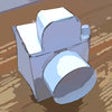
Paper Camera offers up a unique photography experience using a cute interface to produce simulated hand-drawn results, but you'll need to select your shots carefully. The interface looks like a camera made from paper (appropriately), with hand-drawn arrow buttons for switching effects; controls for contrast, brightness, and line weight on the right side; and a save button in the lower right. You have the choice of taking shots directly with your iPhone camera (showing the effect in real time) or selecting an image from your photo library.
Paper Camera is a neat concept, but in addition to requiring you to select your shots carefully, the app has some other annoyances. In our tests, taking or using darker shots doesn't really work with Paper Camera. The nature of the effects is that they use line drawings to recreate the image, and once it gets too dark it's hard to make out the subject of your photo. In bright outdoor shots, it does much better. Our other issue might be small, but it has to do with the save button; when you touch save, it automatically sends the image to your photo library, but offers no confirmation that it was sent. Like anyone probably would, we hit the button a few times, not sure if it was working, only to find several copies of the image in our library.
Even with these issues, Paper Camera can produce some pretty cool-looking images as long as you're taking daylight or otherwise well-lit shots. If you like the hand-drawn look, or just want to do something more with your photos, Paper Camera is a pretty good option for under a buck.
What’s new in version 6.1.0
iOS updates and bug fixing
Explore More

Sponsored
Adobe Stock
Trial version
ASIAIR
Free
Custom Sticker Maker-WASticker
Free
AMPE
Free
Panasonic Lumix Link
Free
Rakuga-cute -cute-
Free
Gallery Private Photo Vault
Free
Photo Manager Pro 5
Paid
Screencast-O-Matic
Free
Sprint Complete Storage
Free
InfiniFX
Paid
HEx (cam) - Video Recording + Time Lapse + Stop Motion -
Free