Used OS13 Launcher i OS13 Theme for Android?


OS13 Launcher i OS13 Theme Analysis

AI Assisted Content ·

Not written by CNET Staff.

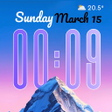
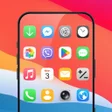
OS13 Launcher is a free personalization application designed to replicate the look and feel of iOS 13 on Android devices. It features a sleek interface, complete with iOS-style icons and layouts, allowing users to experience a familiar Apple aesthetic without losing the customization capabilities typically associated with Android. Additionally, it supports various iOS icon packs for further personalization, enhancing the user experience significantly.

The launcher includes a variety of features such as over 500 themes and wallpapers, a customizable control center, and an All Apps Manager for efficient app organization. Users can easily find their applications through a swipe-up gesture, making navigation seamless. Although the presence of advertisements may detract from the experience for some, the extensive customization options and unique features make OS13 Launcher a noteworthy choice for anyone looking to give their device an iOS-inspired makeover.

Enlarged image for OS13 Launcher i OS13 Them…
OS13 Launcher i OS13 Theme 0/1

Used OS13 Launcher i OS13 Theme for Android?


Explore More


Full Specifications

GENERAL
Release
Latest update
Version
7.7
OPERATING SYSTEMS
Platform
Android
Operating System
Android 15.0
POPULARITY
Total Downloads
174
Downloads Last Week
1

Report Software

Last Updated


Developer’s Description

By Model X Apps
Colorful OS Launcher is a Neat, Useful and Colorful OS style launcher, using Colorful OS Launcher home screen replacement, you get speedy, colorful and elegant OS Launcher experience without lost Android customization and personalization.+ Colorful OS Launcher newly add Colorful Icons feature, just try this cool feature !!!Notice:- Android™ is a registered trademark of Google, Inc.- Colorful OS Launcher has no relation with ColorOS mobile system Colorful OS Launcher features:+ Colorful OS Launcher newly add Colorful Icons feature, you can customize icons' color and icons' shape as what your like, colorful and cool.+ Colorful OS Launcher can work on ALL Android 5.0+ devices, you get OS launcher unify icon shape, OS launcher layout and animation+ Colorful OS Launcher support OS icon pack and almost all the icon packs in Play Store+ Colorful OS Launcher has 500+ beautiful themes and wallpapers+ Colorful OS Launcher has control center, swipe up from dock to get it+ All Apps Manager: support both OS's apps library and Android's apps drawers, quick to find apps. You may switch this two styles according to your like.+ Desktop Edit Mode: support select multi app icons to create folder or move icons in batches in Desktop Edit mode+ Tidy App Icons: select how you want to display app icons on desktop:* Tidy 15 days not used app to 'Rare use' folder* Classify apps to folders* Put all apps to desktop with a-z order+ Support OS folder style+ Weather info widget in side page+ Various handy gestures, and icon gestures+ Useful tools: storage manage, memory info+ Support dual apps+ Unread red dot notifier+ Eyes protector feature+ Desktop grid size option+ T9 Search and app quick search+ Lock desktop layout to avoid being messed by kids and others+ Multi dock page, and dock background configuration+ Colorful OS Launcher has many desktop transition effect/animation+ Colorful OS Launcher support Hide app, App lock+ Colorful OS Launcher support app auto classify to help you classify apps to folders+ Colorful OS Launcher support changing fonts+ Colorful OS Launcher support 3 color mode: Light, Dark, Auto Adaptation+ Cool photo frame widgets+ Stack widget support+ Big folder support, you may open app without opening the folder. Thank you for using Colorful OS Launcher, if you like Colorful OS Launcher, please rate Colorful OS Launcher or leave comments, we are always listening, thanks a lot!

Download.com
Your review for OS13 Launcher i OS13 Theme
Download.com

AI Assisted Content Disclosure

Content created and reviewed by Softonic with information obtained from Model X Apps, using AI.

CNET's editorial team was not involved in the creation of this content. Opinions, analysis and reviews were not provided by CNET.