Used Name Art Photo Editor - Focus n Filters for Android?


Name Art Photo Editor - Focus n Filters Analysis

AI Assisted Content ·

Not written by CNET Staff.

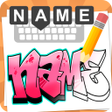
Name Art Photo Editor - Focus n Filters is a free Android application designed for users interested in fine arts and photo editing. This app allows users to create personalized images by adding text to their chosen backgrounds. With a user-friendly interface, it is suitable for individuals looking to enhance their photos with artistic text overlays. Key features include a variety of font styles, color options, and the ability to save edited images directly to the device's gallery or SD card.

The process begins with selecting a background from the device's gallery, followed by choosing a preferred font and color. Users can adjust the font size and finalize the text they wish to include. The straightforward design makes it accessible for users of all skill levels, ensuring that anyone can produce visually appealing artwork effortlessly.

Enlarged image for Name Art Photo Editor - F…
Name Art Photo Editor - Focus n Filters 0/1

Used Name Art Photo Editor - Focus n Filters for Android?


Explore More

Full Specifications

GENERAL
Release
Latest update
Version
1.0.60
OPERATING SYSTEMS
Platform
Android
Operating System
Android 15.0
POPULARITY
Total Downloads
205
Downloads Last Week
6

Report Software

Program available in other languages


Last Updated


Developer’s Description

By AppTrends
Create beautiful Arts with your Name with various styles, stickers, bgs & paint.

Name Art Photo Editor - Focus n Filters

Write your name on photo with unique font styles, add beautiful stickers or emojis, set a nice background, draw a nice pattern and make your Name different and stylish.

Set as a profile pic on social media like Facebook, twitter, WhatsApp, Instagram and many more..

Make your name or family or friend's name unique with "Name Art Photo Editor" and Surprise them.

If you want to make your real signature on your image this app is an awesome tool.

people who would like to make their name as brand will love this Name Art

it is very simple and easy to use.

Write your name on the image that makes your name in stylish art way. with our

app you can make your name like your signature also allow you to

stylize your names by generating text on images with ease in seconds with

our best and cool app.

This name art also provides stickers such as smiley's, wishes, birthday, special day,

birds, flowers, love, cartoon, fruits ,toys and especially feathers is an

essential feature to decorate your image in beautiful way and make a unique

profile.

You can use this app like Name Live wallpaper with Focus n Filters

You can set your image as background also you can change your background

color and same as name color. Name size can be changed as per your need

and u can also make the image blur.

A frame is a decorative edging for a picture that makes the image look

fabulous this app make it more easier to display your image with in the frame

and the art that gives a special look to your image.

font is the best resource that provides different types of fonts such as

font size, font color, font style. you can select the style of the text

shadow: you can give the shadow effect to the text for the stylish look

that makes you unique while comparing to others.

This app also provides important paint feature that is Finger touch to draw.

you have the option of size, opacity. if anything went wrong in paint,

no worries, you have an option to undo and redo. Also you can clear

the paint if you are not so happy with the paint you have drawn.

you will have fun with this paint and you can save the image in My Creations and share

to your friends using Social Media!

Create Name Wallpaper for Free.

Create Love wallpaper with beautiful Name Styles.

Hope you will enjoy using this app!


Download.com
Your review for Name Art Photo Editor - Focus n Filters
Download.com

AI Assisted Content Disclosure

Content created and reviewed by Softonic with information obtained from AppTrends, using AI.

CNET's editorial team was not involved in the creation of this content. Opinions, analysis and reviews were not provided by CNET.