Used MyBrushes for iPhone - Painting, Drawing, Scribble, Sketch, Doodle with 100 brushes for iOS?


MyBrushes for iPhone - Painting, Drawing, Scribble, Sketch, Doodle with 100 brushes Analysis

AI Assisted Content ·

Not written by CNET Staff.

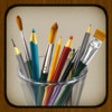
MyBrushes for iPhone is an advanced painting and drawing application that offers a rich selection of tools for creative expression. With 100 different brushes, users can create intricate artworks, doodles, and sketches. The app supports various styles, allowing for a wide range of artistic techniques, from simple scribbles to detailed illustrations. Its user-friendly interface makes it accessible for both beginners and experienced artists, encouraging creativity and experimentation.

Top Recommended Alternative

In addition to brush options, MyBrushes provides features such as layers, color palettes, and customizable settings, enhancing the overall drawing experience. Users can save and share their creations easily, making it a versatile tool for artists on the go. Whether for casual doodling or serious artwork, MyBrushes for iPhone caters to diverse artistic needs and preferences.

Enlarged image for MyBrushes for iPhone - Pa…
MyBrushes for iPhone - Painting, Drawing, Scribble, Sketch, Doodle with 100 brushes 0/4

Used MyBrushes for iPhone - Painting, Drawing, Scribble, Sketch, Doodle with 100 brushes for iOS?


Explore More


Full Specifications

GENERAL
Release
Latest update
Version
1.3.0
OPERATING SYSTEMS
Platform
iOS
Operating System
iOS 12.1.2
Additional Requirements
Compatible with iPhone, iPod Touch, and iPad. Requires iOS 3.1 or later. iTunes account required
POPULARITY
Total Downloads
14
Downloads Last Week
0

Report Software

Last Updated


Developer’s Description

MyBrushes is a unique painting application designed to create images and playback the whole painting process. It has 100 kinds of realistic brush...
MyBrushes is a unique painting application designed to create images and playback the whole painting process. It has 100 kinds of realistic brush styles to simulate the effect of Brush painting, Watercolor painting, Oil painting, Chinese painting, Drawing, Chinese Calligraphy etc. MyBrushes features highlights: Playback anywhere anytime. Previous painting and undo action was saved. You can enjoy it or re-edit it during the playback. Share your art to Facebook, Twitter, Email etc. Import images or photos from your device and draw over your photos. Undo / Redo function (10 steps !). Background style templates (50 kinds). Various types of high-quality natural brushes: brush, pencil, pen, airbrush, watercolor brush, chalk, charcoal, neon pens, special effect pens. Brush size adjustment slider. Eraser tool to correct possible mistakes. Export to image file. MyBrushes comes with a large brush collection, more important that the highly configurable brush engine allows you to experiment with your own brushes with not-quite-natural painting. It is capable both of mimicking real media all the way to producing very digital style artwork. It aims to be simple and fast at what it does. MyBrushes has a simple and easy interface that you don't need knowledge of color system such as RGB, HSV and others. It allows anyone to easily create works by choosing the best background template from the large collection. To use this application, you can draw, paint and share artwork easily everywhere and always with other art enthusiasts.Feedback:Any suggestion will be appreciated, support email: market@effectmatrix.com

Download.com
Your review for MyBrushes for iPhone - Painting, Drawing, Scribble, Sketch, Doodle with 100 brushes
Download.com

AI Assisted Content Disclosure

Content created and reviewed by Softonic with information obtained from EffectMatrix, using AI.

CNET's editorial team was not involved in the creation of this content. Opinions, analysis and reviews were not provided by CNET.