Used My Photo Keyboard for Android?


My Photo Keyboard Analysis

AI Assisted Content ·

Not written by CNET Staff.

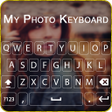
My Photo Keyboard is a multimedia application designed for Android devices, allowing users to customize their keyboard backgrounds with personal photos. This free application provides an intuitive interface that makes it easy to select and set images as the background of the keyboard, adding a personal touch to the typing experience. Users can effortlessly navigate through the app to choose their favorite pictures, enhancing their mobile interaction with a unique aesthetic.

Top Recommended Alternative

The application is particularly suitable for individuals seeking to personalize their mobile devices without requiring advanced technical skills. To utilize My Photo Keyboard, users must have the latest version of the Android operating system installed on their devices. This ensures compatibility and optimal performance, allowing users to enjoy a seamless experience while customizing their keyboards.

Enlarged image for My Photo Keyboard
My Photo Keyboard 0/4

Used My Photo Keyboard for Android?


Explore More


Full Specifications

GENERAL
Release
Latest update
Version
55.0
OPERATING SYSTEMS
Platform
Android
Operating System
Android 13.0
POPULARITY
Total Downloads
367
Downloads Last Week
0

Report Software

Program available in other languages


Last Updated


Developer’s Description

By Abbott Cullen
How amazing if you can set your own photo as keyboard background in your device.

How amazing if you can set your own photo as keyboard background in your device

Here My Photo Keyboard app helps you to customize your keyboard and set your photo as keyboard background with best front keypad characters.

My Photo Keyboard applies to whole device and for all apps.

Change background photos from gallery or camera for keyboard.

Make your keyboard very beautiful as your choice.

Multiple Theme Support and you can free download all that theme

How to Used?

1. Open App My Photo Keyboard.

2. Select "My Photo Keyboard" Button.

3. Set input method to my photo keyboard option.

4. Set image from gallery or camera and get preview of keyboard.

5. You can set different colorful themes for keyboards.

6. My Photo Keyboard come with more than 50 languages.

Features

- Set Photo From Gallery and Camera.

- Set Different Types Of Themes.

- Enjoy With 500+ Emoji.

- Emoji Art For batter chat your friends.

- Emoji prediction on words.

- Swipe your finger on keyboard and type fast.

- Auto spell Check Facility.

- Next Word Prediction.

- Landscape and portrait Keyboard background Set separately.

- 50+ Language Supported.

- 50+ Font Style Supported.

- Template Facility For Fast Sharing.also add new Custom Templates.

- Direct Search From Keyboard.

- Word Edit Facility as Word select,cut,copy,past,home,end,tab etc.

- Keyboard Height Setting.

- Keyboard Font Color Setting.

- Keyboard Key press setting as sound,vibration etc.

- Layout Design for Tablet.

- Speak to type

- GIF Sticker For Sharing in social Apps.

- Cool Font and Fancy Font Type facility Provided.

We will never collect any of personal information.

Enjoy new concept of keyboard.


Download.com
Your review for My Photo Keyboard
Download.com

AI Assisted Content Disclosure

Content created and reviewed by Softonic with information obtained from Abbott Cullen, using AI.

CNET's editorial team was not involved in the creation of this content. Opinions, analysis and reviews were not provided by CNET.