Used MojiBar: Emoji Battery Pets for Android?
Editors’ Review
MojiBar: Emoji Battery & Pets, from Vuay Online Services Pvt Ltd, replaces the standard Android status bar battery icon with expressive emoji indicators and onscreen mascots. The app overlays reactive emoji batteries that change expression with charge level and runs interactive Shimeji pets across other apps, using Accessibility Service permissions rather than root. It also exposes gesture shortcuts, notch styling, and full status bar restyling for users who favor playful, avatar-driven personalization without system modifications.
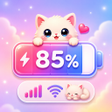
Emoji batteries update in real time and express charge visually
MojiBar's emoji indicators map directly to battery percentage, changing facial expressions as the charge rises or falls. The app includes a gallery of battery templates users can pick from and a "Battery Troll Mode" that swaps in prank styles with exaggerated visuals. Because icons reflect the live percentage, the display gives immediate visual feedback without opening system battery settings, useful for glanceable monitoring.
Shimeji mascots behave as interactive, persistent on-screen companions
Shimeji pets animate independently, performing actions such as walking, climbing, and sitting while layered above active apps. The animals accept simple input: tapping and dragging moves or interacts with them, and they conserve visibility during ordinary navigation so they remain part of the interface. These behaviors make them decorative and interactive elements rather than passive wallpapers, and they can be used for light in-app amusement.
Gesture control and UI restyling give granular status bar customization
The tool assigns single taps, long presses, and swipe gestures on the status bar to common actions such as taking a screenshot, opening Home, or revealing the notification panel. Restyling options include clock and date layouts, carrier name toggles, and replacing system icons like Wi‑Fi and signal. Notch decoration and height adjustment are available, so users can match the bar's appearance to their chosen emoji theme.
Pros
- Battery icons change expression with actual percentage
- Interactive Shimeji pets accept taps and dragging
- Assignable taps, long presses, and swipe gestures on the status bar
- Notch overlays plus clock, date, carrier, and system icon restyling
Cons
- Requires Accessibility Service permissions to overlay the status bar
- On-screen mascots may increase visual distraction during regular use
- Battery Troll Mode can produce misleading glanceable battery visuals
Bottom Line
A playful personalization fit for decorative-focused Android users
MojiBar is a distinctive choice for people who prioritize character-driven interface elements and visual feedback, as its design centers on expressive status-bar replacements and animated companions. Users who prefer understated system chrome or minimal distraction may find the visual activity intrusive. As a practical tip, allow time to explore templates and gesture mappings to balance appearance with day-to-day usability before committing to a permanent look.
Used MojiBar: Emoji Battery Pets for Android?











