Used Modi Photo Frames Selfie with Modi for Android?


Modi Photo Frames Selfie with Modi Analysis

AI Assisted Content ·

Not written by CNET Staff.

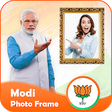
Modi Photo Frames Selfie with Modi is a free Android application designed for users who want to creatively enhance their photos. This multimedia tool allows users to add various frames inspired by Indian Prime Minister Narendra Modi, making it a unique choice for those looking to personalize their selfies. The app features an intuitive interface that facilitates easy navigation, enabling users to select from a range of frames and effects to apply to their images.

Top Recommended Alternative

In addition to its framing options, the application supports basic photo editing functions, allowing users to adjust brightness, contrast, and saturation before finalizing their creations. Modi Photo Frames Selfie with Modi also offers sharing capabilities, making it simple to post enhanced images directly to social media platforms. Overall, the application caters to users interested in combining personal photography with cultural themes.

Enlarged image for Modi Photo Frames  Selfie…
Modi Photo Frames Selfie with Modi 0/3

Used Modi Photo Frames Selfie with Modi for Android?


Explore More


Full Specifications

GENERAL
Release
Latest update
Version
1.1
OPERATING SYSTEMS
Platform
Android
Additional Requirements
Requires Android 4.0.3 and up
POPULARITY
Total Downloads
10
Downloads Last Week
0

Report Software

Program available in other languages


Last Updated


Developer’s Description

Modi Photo Frames Selfie with Modi...

Modi Photo Frames Selfie with Modi

Modi Photo Frame is the perfect app to give an adorable look in your photos. You can add Modi to your photos, take a selfie with Modi or customize your pictures with frames of Narendra Modi.

Would you like your pictures to be appearing with Narendra Modi? These fantasy Modi Photo Frame Modi new app are ideal for you to frame your memories and make them unforgettable. Modi Photo Frame is a photo frame application which you can customize your pictures with frames of Narendra Modi or adding Narendra Modi to your photos.

Modi Photo Frame is nice app that lets you customize your photos. After downloaded this Modi Photo Frame app, First of all choose a photo from mobile gallery or you can capture new photo using mobile camera. It can be resized with the help of crop option. Now select Famous Modi Photo Frame Backgrounds, Famous Modi Photo Frames from list. You can apply one or more objects likes S

Modi Photo Frame 2018 Feature

Wide Variety of Frame with some amazing custom designs.

Take photos from Gallery album. Choose best modi frames that suitable your photos.

Single tap to Adjust Photos, pic size, rotate, zoom etc.

Give photo to stunning effect by applying beautiful photo Color filter.

Add a text to your photo, and decorate the modi frame with some amazing stickers to birthday wish of India's Prime Minister.

Easy to delete, add, rotate, zoom in, zoom out and flip to any text and stickers.

Save your final creation to App Gallery or your SD card.

Download now Modi Photo Frame 2018 and brag that you are a friend of Narendra modi with our awesome photo editor.

How to use this Best App :-

1.Select your photo from gallery or capture a Selfie from camera.

2. Select Modi ji Photo Frame from bottom side gallery

3. Move, rotate, flip and zoom Modi Frame in any direction where you want.

4. Add unique stickers to it.

5. Add quotes to it with colourful fonts.

6. Apply creative photo effects to the images.

7. Share your makeover photo with Facebook, Instagram Skype, what Sapp, twitter and snap chat.

8. Save your creativity to gallery.

9. Set image to wallpaper.

10. Easy to use

11. User friendly

If you like this Modi Photo Frame app then share with your friends and family member.

Thanking you


Download.com
Your review for Modi Photo Frames Selfie with Modi
Download.com

AI Assisted Content Disclosure

Content created and reviewed by Softonic with information obtained from Fun Apps Collection, using AI.

CNET's editorial team was not involved in the creation of this content. Opinions, analysis and reviews were not provided by CNET.